



Let’s be honest—when AI first arrived on the scene, it felt a bit like a magic trick. It was exciting, flashy, and we all spent hours testing it out with funny prompts. But as we reach the end of 2025, the novelty has worn off, and the real work has begun.
For IT leaders and everyday users alike, the question is no longer “Should we use Copilot?” It’s “Are we using it safely, effectively, and is it actually saving us time?”
The November and December 2025 updates for Microsoft 365 Copilot answer that question with a resounding “yes.” We are moving away from simple experimentation into an era of enterprise maturity. The tools are smarter, the controls are tighter, and the integration is deeper.
Whether you are an admin managing thousands of seats or a power user trying to clear your inbox, here is everything you need to know about the latest shift in the Copilot landscape.
Official Link: What’s New in Microsoft 365 Copilot | November & December 2025
Core Platform Updates: Copilot Gets a Memory
One of the biggest frustrations with early AI tools was the “Goldfish Effect”—having to explain the same context over and over again. You would start a new chat, and Copilot would have forgotten everything you discussed yesterday.
That changes now.
Work IQ Enhancements
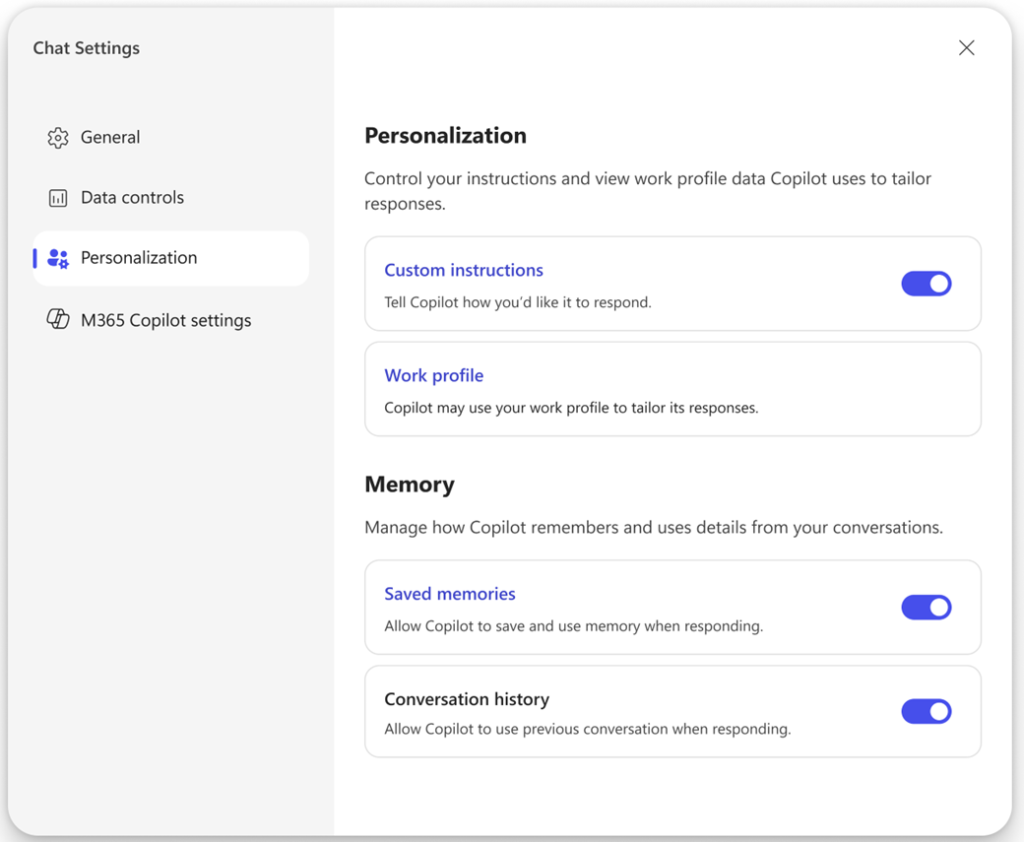
The intelligence layer powering Copilot, known as Work IQ, is receiving a massive upgrade. Rolling out in December, Work IQ can now recall memories from past Copilot conversations.
Think of it like a teammate who actually listens. If you told Copilot last week that “Project Alpha” refers to the Q4 marketing launch, it remembers that context today. This reduces the friction of prompting and makes the AI feel less like a search engine and more like a partner.
Better Signals, Better Trust
Microsoft has also tuned the backend to be less dependent on “perfect” prompts. The system is now better at understanding your intent, even if you don’t use the exact technical phrasing. The result? A 17% increase in satisfaction rates and a significant drop in “thumbs down” feedback over the last six months.
Copilot Chat: Smarter Conversations
Copilot Chat is the front door to AI for most employees, and it is getting some crucial renovations.
Deep Grounding in Files
Until recently, AI struggled to “see” what was inside your complex documents. With the new updates, Declarative Agents can now interpret and ground their responses using images embedded in Word docs, PowerPoint presentations, and PDFs.
If you ask, “What does the chart on page 12 say?”, Copilot can now analyze that visual data and give you an answer.
Content Generation
Agents created with the Agent Builder have leveled up. They can now generate content directly into Word, Excel, and PowerPoint. This means you can have a custom “Proposal Agent” that doesn’t just answer questions about your pricing model but actually drafts the slide deck for you.
Copilot in Microsoft Teams: From Meetings to Momentum
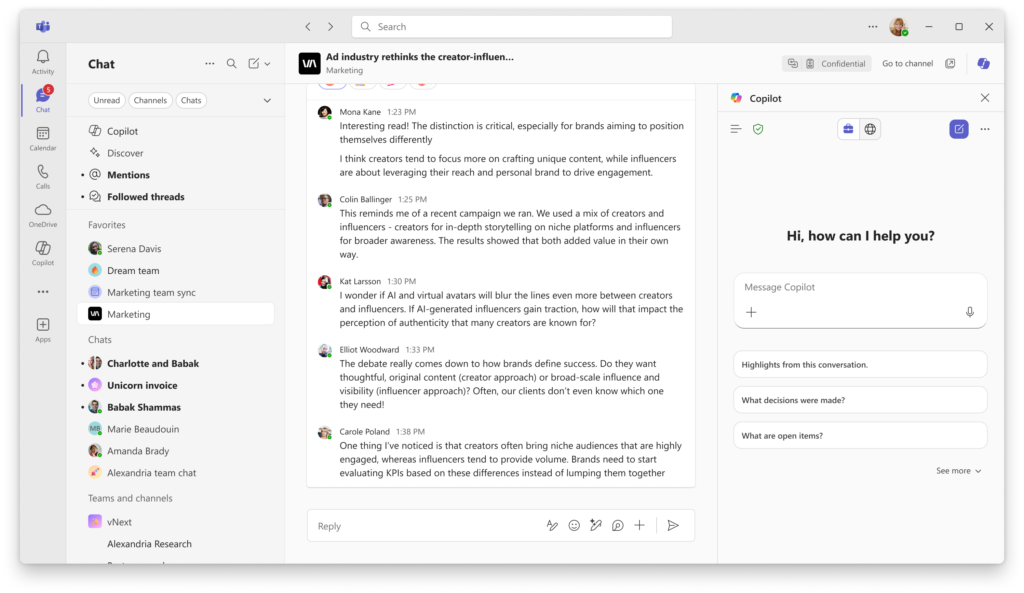
We all want to save time and reduce stress, and nowhere is that needed more than in our calendars. The updates to Teams are designed to turn meetings from passive listening sessions into active workstreams.
The “Facilitator” Role
The new Facilitator capability helps keep meetings on track. It doesn’t just take notes; it acts as a proactive participant.
- It recognizes agendas shared in the chat.
- It captures tasks as they are mentioned and assigns them.
- It can even draft documents in Loop or Word based on what was said, while the meeting is still happening.
Channel Agent Enhancements
For those working asynchronously, the Channel Agent is a game-changer. You can now @mention the agent to “create a status report,” and it will pull from conversations, files, and recent meetings to summarise where the project stands. It can even generate a “Workback Plan”—a sequenced list of tasks with due dates—helping project managers regain control of chaotic timelines.
Unified Experience
The Copilot experience is now unified across chats, channels, and meetings. Plus, with “Teams Mode,” you can invite colleagues into a Copilot conversation, turning a private AI chat into a collaborative group brainstorming session.
Copilot in Outlook: Inbox Intelligence
While the specific November-December logs focus heavily on Teams and Excel, Outlook continues to refine its “Inbox Intelligence.” The focus here is shifting from simply drafting emails to prioritizing them.
Copilot is becoming better at analyzing the history of a conversation to suggest relevant follow-ups. It helps managers focus on what actually needs attention by flagging high-priority items based on context, rather than just chronological order. It’s about reducing inbox fatigue so you can focus on decision-making.
Copilot in Word & PowerPoint: Content with Context
PowerPoint: “Explain This” & Image Editing
Creating slides often involves a lot of manual fiddling. Two new features address this:
- “Explain This”: You can now select a complex table, an acronym, or an entire slide, and Copilot will provide a detailed, contextual explanation. This is brilliant for accessibility or for getting up to speed on a deck you didn’t create.
- Image Editor: You can now edit images directly within slides using Copilot. No more switching to external photo software just to crop or adjust a visual.
Word: Agent Mode
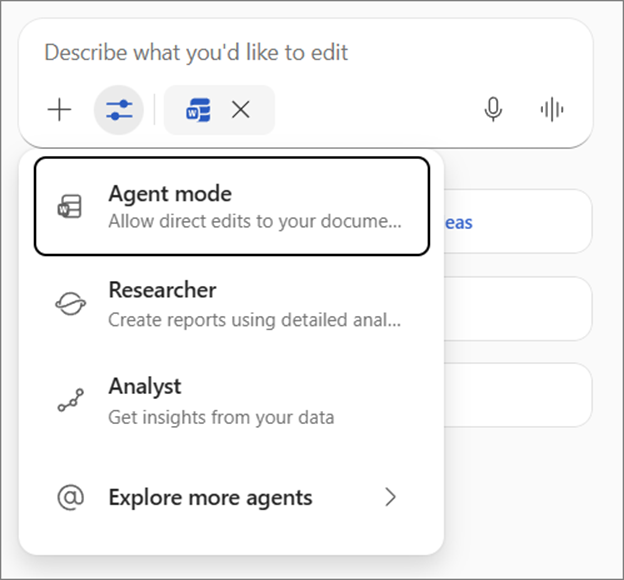
Word is introducing Agent Mode, which goes beyond simple drafting. It allows for improved rewriting that is aware of your intent, and better handling of structured content like policies and proposals.
Copilot in Excel: Insights, Not Just Formulas

Excel can be intimidating. If you don’t know the right formula, you are often stuck. The latest updates bridge the gap between data and insights.
Formula Completion
This is a simple but powerful time-saver. As soon as you type “=”, Copilot proactively suggests and autocompletes formulas. It reduces syntax errors and speeds up routine analysis.
Agent Mode in Excel
This feature allows Copilot to plan, execute, and validate multi-step tasks. You can ask it to “remodel this table to show sales by region and then create a chart,” and it will handle the steps directly in the grid. It encourages data-driven decisions without creating “shadow analytics” where users manipulate data offline because they can’t figure out the software.
The Enterprise Reality Check: Governance
We can list features all day, but for the IT decision-makers reading this, success comes down to one thing: Governance. Copilot is only as good as the data it can access.
Admin Capabilities
Microsoft has rolled out new reporting tools to help you sleep better at night:
- Copilot Dashboard: Now allows you to export data as CSV files for deeper analysis.
- Purview Integration: Unified audit logs now include agent-related admin activities, ensuring you have visibility over what your AI agents are doing.
- Adoption Reporting: New metrics allow you to benchmark Copilot usage against employee engagement, helping you prove ROI to the C-suite.
Readiness Checklist
Before you scale these new features, ensure you have ticked these boxes:
Future Outlook: What to Expect in 2026
The updates from late 2025 signal a clear trend: Agent-based workflows.
We are moving away from “chatting with a bot” and toward “assigning work to an agent.” In 2026, expect to see deeper integration of Work IQ, where the AI understands not just your files, but your actual job role.
Organizations that invest in governance and user education now will be the ones that turn Copilot into a competitive advantage. Those who treat it like a magic button will likely struggle with prompt fatigue and trust issues.
Frequently Asked Questions
Is Microsoft 365 Copilot enterprise-ready in late 2025?
How long do I get employees?
Should organizations scale Copilot now?
The Real Meaning of These Updates
The November and December 2025 updates aren’t just a list of new buttons. They represent stability. Copilot has graduated from an experimental feature to a core platform capability.
For businesses, the actionable takeaway is simple: Stop asking if AI works, and start refining how you use it. Invest in training your team on how Copilot “thinks,” clean up your data permissions, and start building workflows that rely on these new agents. The future of work is here, and it’s time to get on board.

2 Comments
Pingback: Why Buying Copilot Is Easy — Making It Useful Is Hard - The Lalit Blogs
Pingback: Life After Copilot Rollout: What Actually Changes? - The Lalit Blogs