



TL;DR: The new Learning Agent (Roadmap ID: 490154) embeds professional training directly into Microsoft 365 Copilot and Teams. Powered by Work IQ, it monitors task patterns to deliver 2-minute microlearning moments, adaptive skill assessments, and AI-powered role-playing scenarios—grounded in your company’s own SharePoint repositories and LMS feeds.
When organizations purchase Microsoft 365 Copilot licenses, executive leadership expects immediate productivity gains.
In reality, most deployments hit a predictable roadblock: the AI fluency gap.
Employees open Word or Teams, ask a couple of basic questions, get generic responses, and revert to their old manual habits. Mandatory corporate training webinars and 45-minute slide decks rarely solve this problem because training happens away from where the actual work takes place.
Microsoft’s latest built-in assistant, the Copilot Learning Agent, directly addresses this challenge by shifting learning into the daily flow of work.
Here is how the Learning Agent functions, what features it brings, and how IT and HR leaders can leverage it to accelerate AI adoption across the enterprise.
What is the Copilot Learning Agent?
How does it differ from traditional learning management systems?
Traditional LMS platforms require employees to step away from their desk, log into an external portal, and sit through lengthy courses disconnected from their immediate tasks.
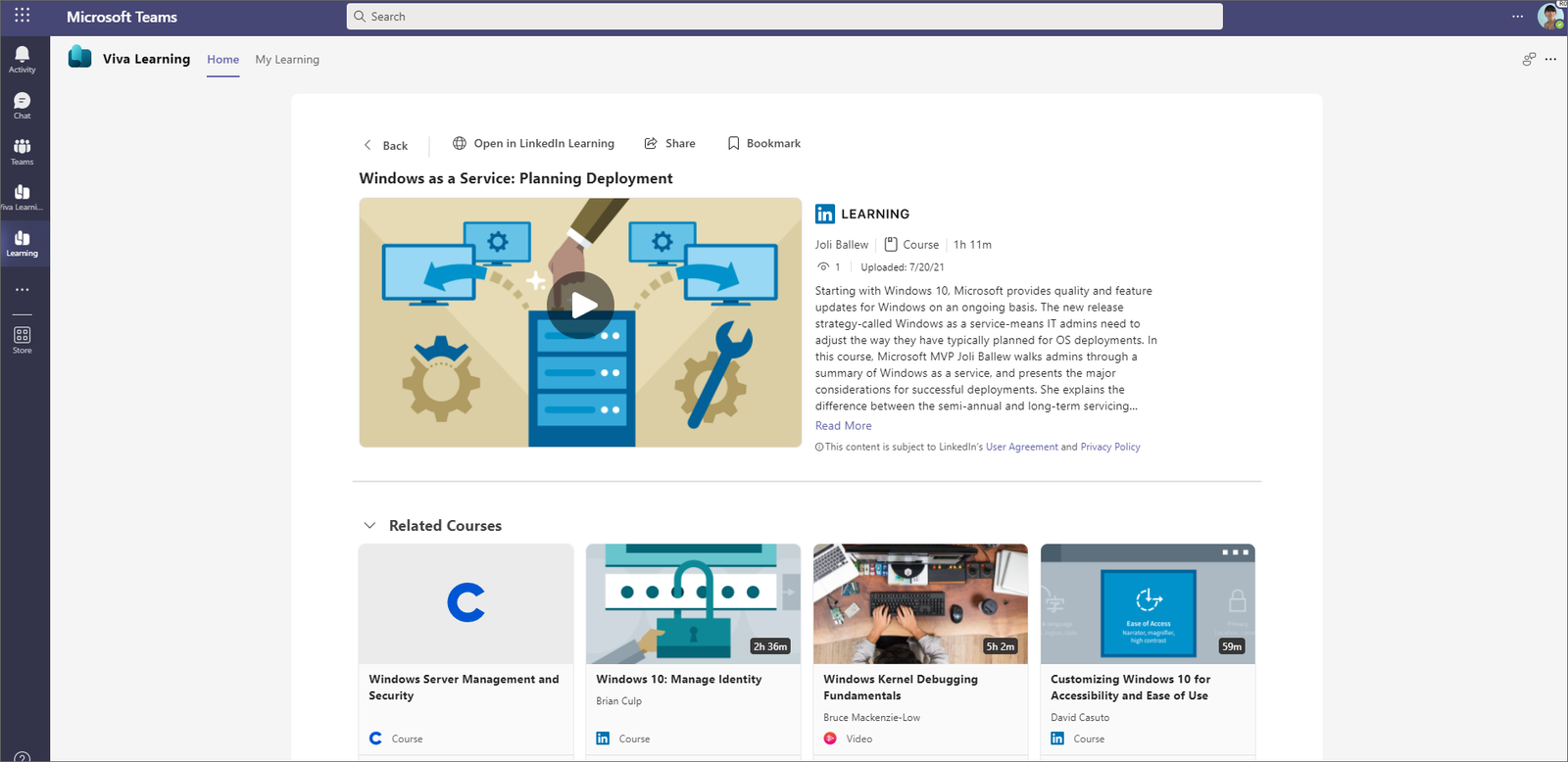
The Learning Agent operates natively inside Microsoft Copilot Chat, Microsoft Teams, and the Copilot web app:
- Context-Aware Microlearning: Instead of hour-long modules, the agent delivers focused 2-to-3-minute learning nuggets right inside your communication threads.
- Powered by Work IQ: By evaluating your organizational role, recent document types, and feature interactions, it surfaces skill recommendations directly relevant to what you are building today.
- Unified Knowledge Sources: It blends official Microsoft skilling credentials with your company’s internal SharePoint guidelines, policy documents, and LMS feeds (such as LinkedIn Learning or Skillsoft).
In practical terms: if an employee struggles to write multi-step formulas in Excel, the Learning Agent detects the pattern and offers an interactive, 90-second tip on Excel Copilot prompting right in Teams.
1. AI-Powered Role-Play: Safe Scenario Simulation
What is the role-playing feature?
One of the standout capabilities introduced in this release is AI-Powered Role-Play.
The Learning Agent can act as a simulated counterpart for sensitive or challenging workplace discussions:
- Sales Negotiations: Account executives can role-play handling price objections or contract terms against an AI buyer grounded in historical customer personas.
- Client Consultations: Consultants can test their presentation structure and practice answering tough technical pushback.
- Internal Reviews: Managers can rehearse structured feedback conversations before conducting sensitive performance evaluations.
Because the simulation runs inside a safe, private sandbox, employees can make mistakes, receive constructive critique on their phrasing and tone, and try again without pressure.
2. Adaptive Skill Gap Assessments
How does the agent benchmark user proficiency?
Rather than administering static multiple-choice tests, the Learning Agent employs adaptive conversational assessments:
- It initiates a brief diagnostic check with questions scaled to your role.
- If you answer foundational questions easily, it advances immediately to complex, multi-modal prompt construction and agentic workflows.
- Upon completion, it generates a personalized Skill Gap Map highlighting specific areas where targeted learning will deliver the highest time savings.
- It compiles a modular learning plan broken down into manageable weekly milestones.
3. The Interactive Dashboard & Learning Streaks
How does the agent sustain long-term engagement?
Corporate training initiatives often suffer from high initial launch numbers followed by a steep drop-off. The Learning Agent counters this using thoughtful workplace gamification:
- For You: Daily personalized recommendations based on active projects and flagged skill gaps.
- From Your Organization: Mandatory compliance, security, and departmental training curated by your L&D team.
- Learning Streaks: A lightweight habit-tracker that celebrates continuous weekly engagement (e.g., completing two micro-actions per week) without becoming intrusive.
Core Capabilities of the Copilot Learning Agent
| Feature | Primary Purpose | How It Works |
|---|---|---|
| Contextual Microlearning | On-the-job skill acquisition | Delivers 2–3 minute tips inside Teams when users hit complex tasks. |
| AI Role-Play | Communication practice | Simulates realistic buyer, client, or managerial conversations with immediate coaching. |
| Adaptive Assessments | Skill benchmarking | Pinpoints prompt engineering gaps and automatically creates tailored tracks. |
| Grounded Enterprise Content | Company-specific compliance | Scopes guidance against trusted SharePoint libraries and corporate policies. |
| Learning Streaks | Habit formation | Tracks weekly engagement milestones to encourage consistent upskilling. |
Licensing and Availability
| Plan Component | Requirements |
|---|---|
| Base Learning Agent Experience | Included with standard Microsoft 365 Copilot licenses. |
| Supported Applications | Microsoft Teams, Copilot Chat (web and desktop), and Outlook. |
| Advanced LMS & Academy Feeds | Requires pairing with Microsoft Viva Suite or Viva Learning add-on licenses for external content catalogs (e.g., LinkedIn Learning, Coursera). |
| Enterprise Governance | Configured via Microsoft 365 Admin Center under Org Settings → Copilot. |
What Should Adoption Leads Do Next?
If you are responsible for Copilot rollout and digital workplace adoption:
- Conduct a pilot with a single department: Enable the Learning Agent for your sales or customer support team. Track whether the AI role-playing feature improves pitch confidence and response times over 30 days.
- Connect your core SharePoint documentation: Ensure your internal IT policies, brand guidelines, and Copilot prompting playbooks are indexed in SharePoint so the agent grounds its answers in verified company practices.
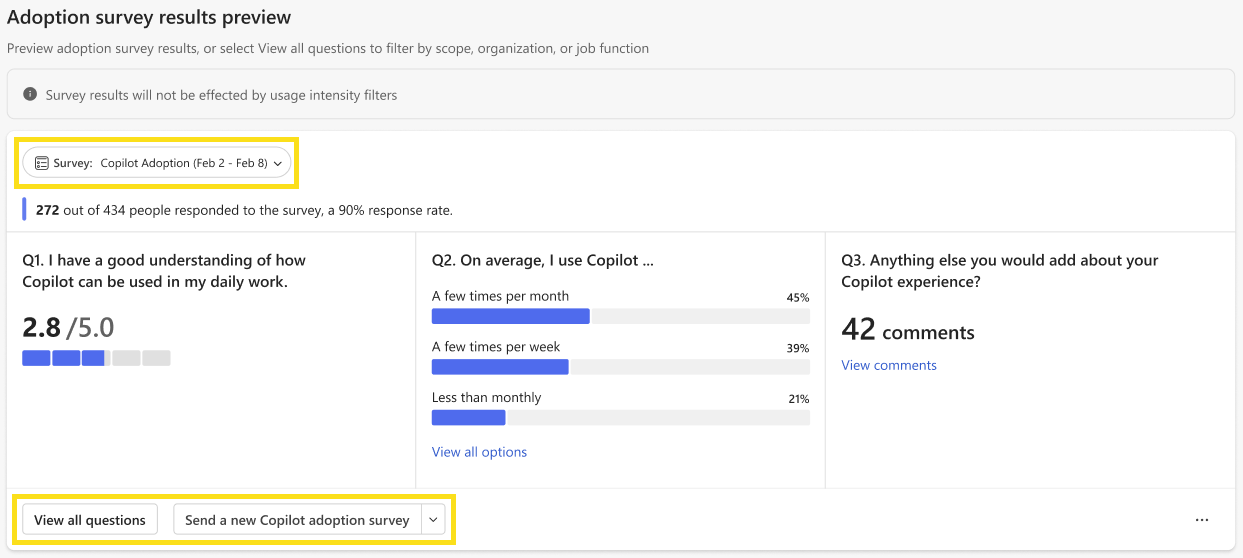
- Monitor engagement via Viva Insights: Use adoption metrics to correlate microlearning completion rates with daily active Copilot usage across departments.
Related Microsoft 365 & Copilot Architecture Guides
- Copilot tuning and prompt engineering – In-depth architectural analysis and deployment patterns.
- overcoming enterprise Copilot adoption barriers – In-depth architectural analysis and deployment patterns.
- Microsoft Work IQ framework – In-depth architectural analysis and deployment patterns.
Official Microsoft Documentation & Administrative Resources
- Microsoft Viva Learning Documentation – Official Microsoft documentation and service administration.
- Microsoft 365 Adoption Hub – Official Microsoft documentation and service administration.
- Microsoft Learn Platform – Official Microsoft documentation and service administration.
Frequently Asked Questions
Does the Learning Agent monitor my private Teams chats?
No. The Learning Agent strictly adheres to Microsoft 365 enterprise data protection boundaries. It utilizes aggregated telemetry and user-initiated context through Work IQ, never scanning private peer-to-peer chats for unauthorized profiling.
Can managers see individual assessment scores?
By default, individual assessment answers and role-play transcripts remain completely private to the employee. Departmental reporting surfaces aggregated, anonymized metrics (such as overall prompt fluency trends) to protect employee trust.
Can our organization add our own custom role-play scenarios?
Yes. Organizations with Viva Learning can build bespoke scenario templates in SharePoint and map them into the Learning Agent catalog for team-specific practice.
How does the Learning Agent handle external learning platforms like LinkedIn Learning?
When connected to an active Viva Learning subscription, the Learning Agent can search, index, and recommend courses from connected providers like LinkedIn Learning, Skillsoft, or custom SCORM-compliant LMS systems.
Is the Learning Agent available in multiple languages?
Yes. The Learning Agent supports the standard Microsoft 365 Copilot multilingual capabilities, delivering microlearning guidance in over 20 languages based on the user’s localized client settings.
