



TL;DR
Project Perception is now Microsoft Perception. And it is generally available.
Perception runs teams of AI agents across the security lifecycle. Red agents find attack paths. Blue agents triage and investigate. Green agents reduce exposure.
The Triage Agent can now cover about 80% of alerts in a typical Defender queue. The Web App Pen Test Agent scored about twice OpenAI Codex in an independent benchmark.
Playbooks do the orchestration. Humans stay in control and approve critical actions.
1. What Is Microsoft Perception?
Attackers now move at machine speed.
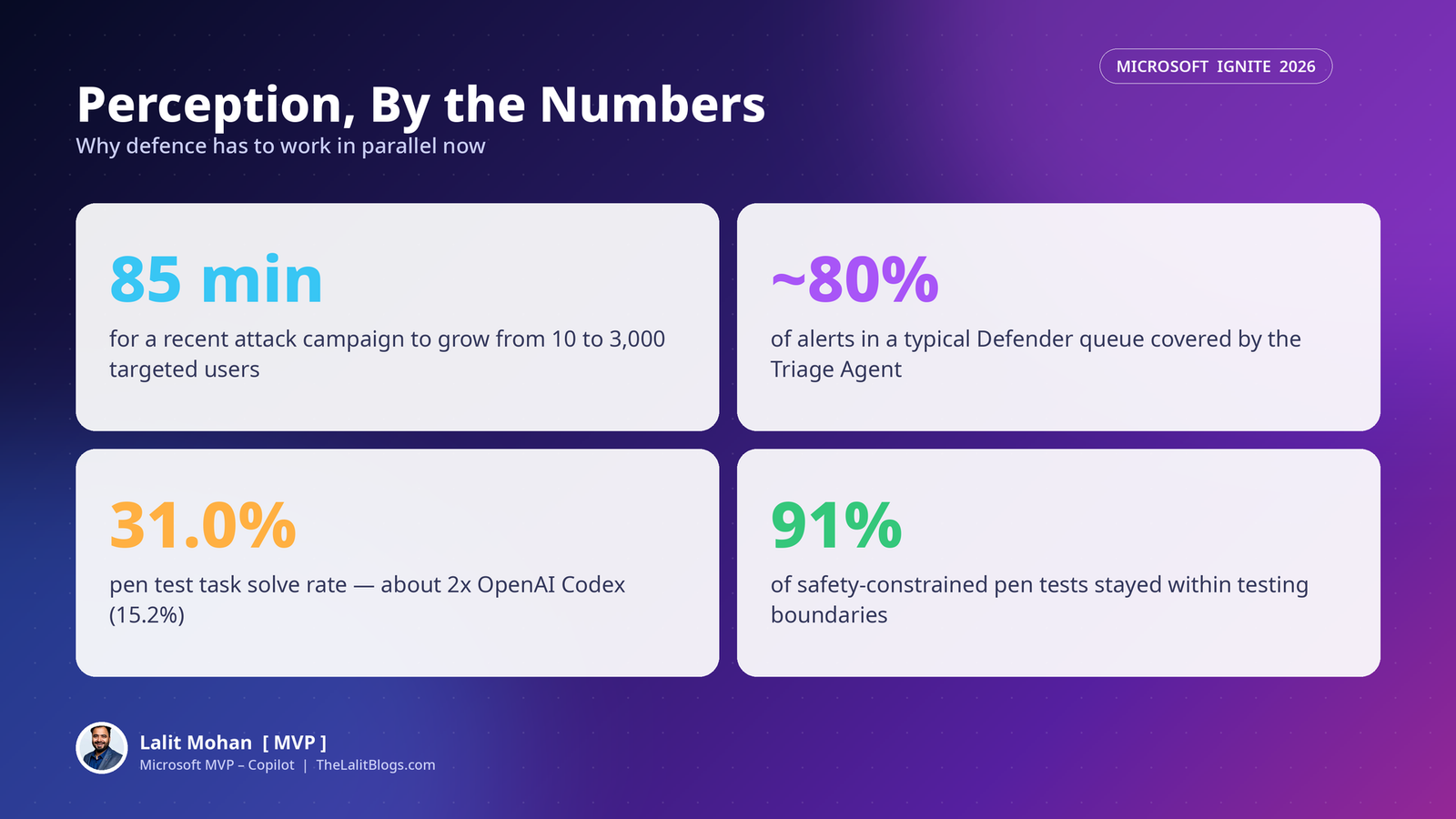
Microsoft gives one example. A recent campaign unfolded in just 85 minutes. It grew from 10 targeted users to 3,000.
Defence still works one alert at a time. That gap is the problem Perception is built to close.
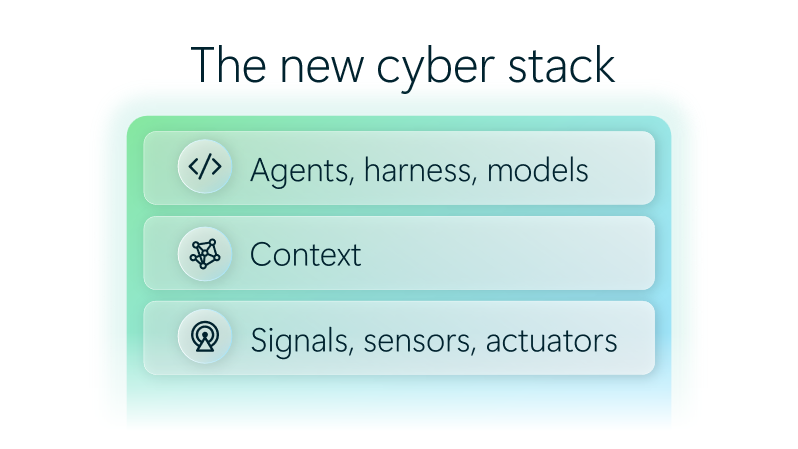
Perception is an agentic defence system. It turns signals from across your digital estate into context for specialised security agents.
An orchestration harness assigns and coordinates the work. Agents investigate, protect and remediate together.
Your team sets the priorities. Your team approves the critical actions.
Microsoft introduced Project Perception in July 2026. At Ignite, it becomes Microsoft Perception. And it is now generally available.
I am in San Francisco for Ignite this week. Security is running through every Copilot and agent conversation here. Perception is the security side of that same story.
2. How Do the Red, Blue and Green Agent Teams Work?
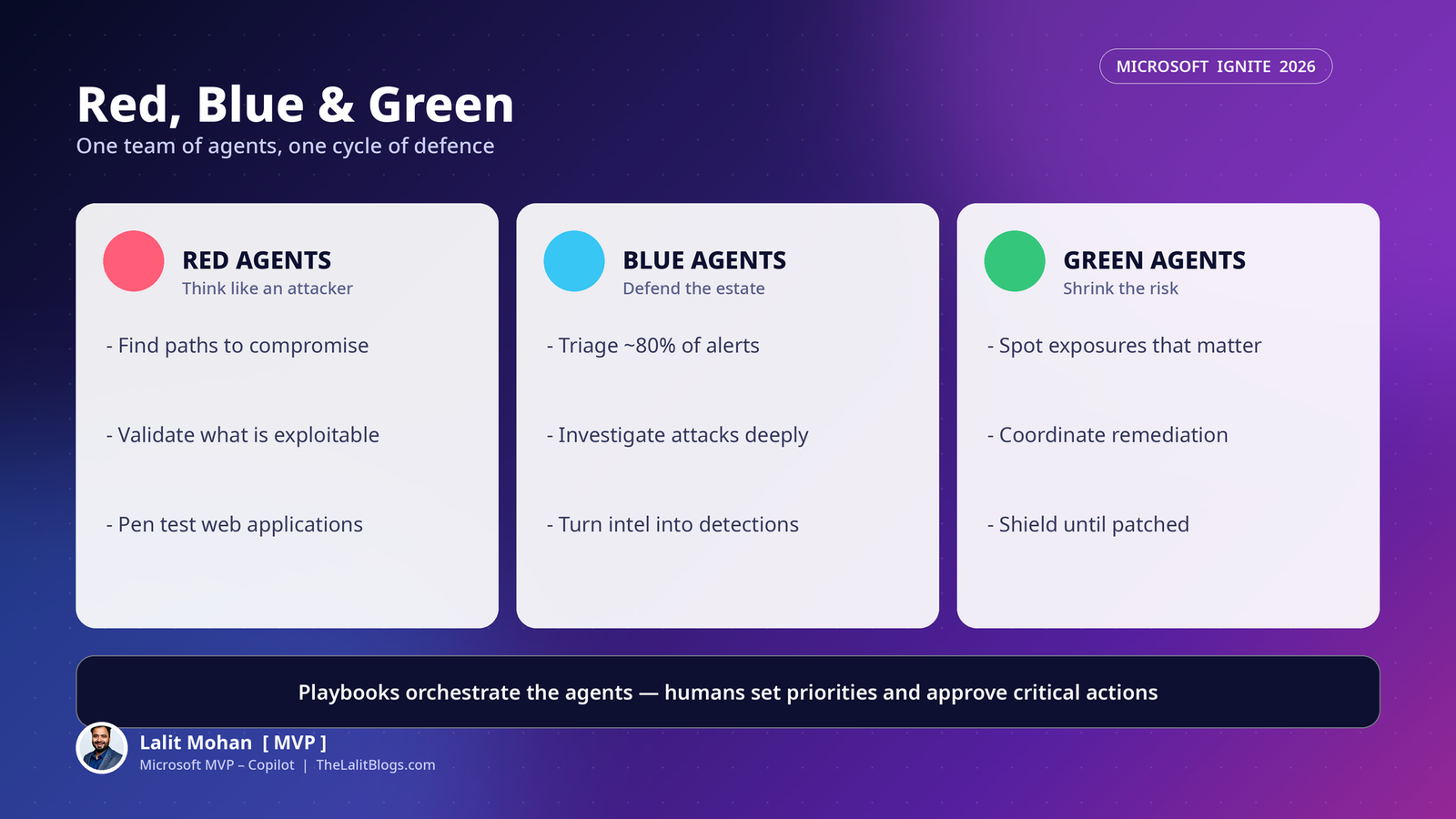
Perception organises agents the way security teams already think.
Red agents find and validate potential paths to compromise. They think like an attacker.
Blue agents triage alerts and investigate attacks. They turn threat intelligence into detections.
Green agents find the exposures that matter most. They coordinate remediation to reduce risk.
Together, they connect discovery, investigation and action. It becomes one continuous cycle of defence.
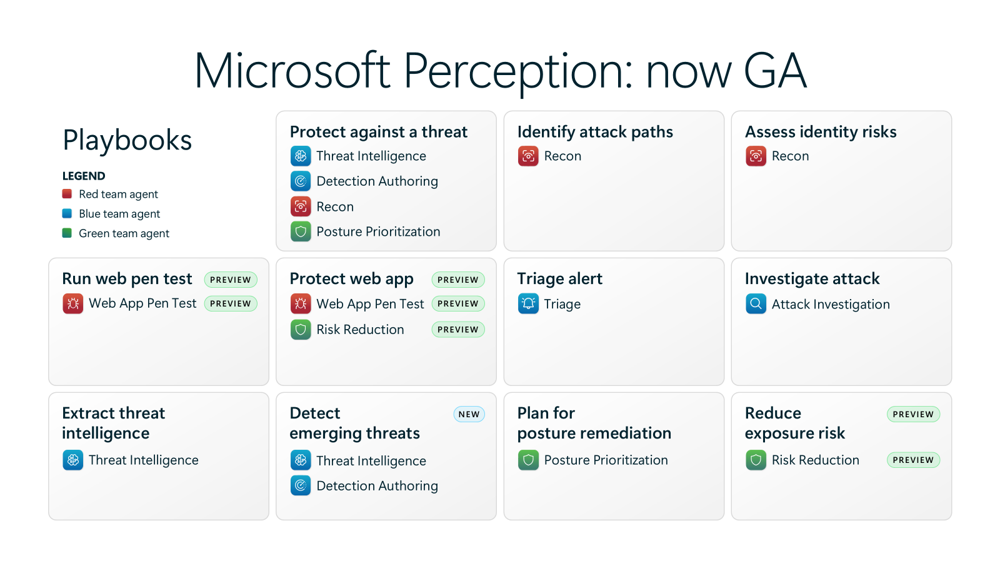
Playbooks sit on top. A playbook orchestrates the right agents around one security outcome.
You can start with a ready playbook. Or you can describe what you need in chat.
You then follow the work in an integrated session view. You review the results before you act.
3. What Can the Triage Agent Do?
Every SOC has the same bottleneck. Too many alerts. Not enough analysts.
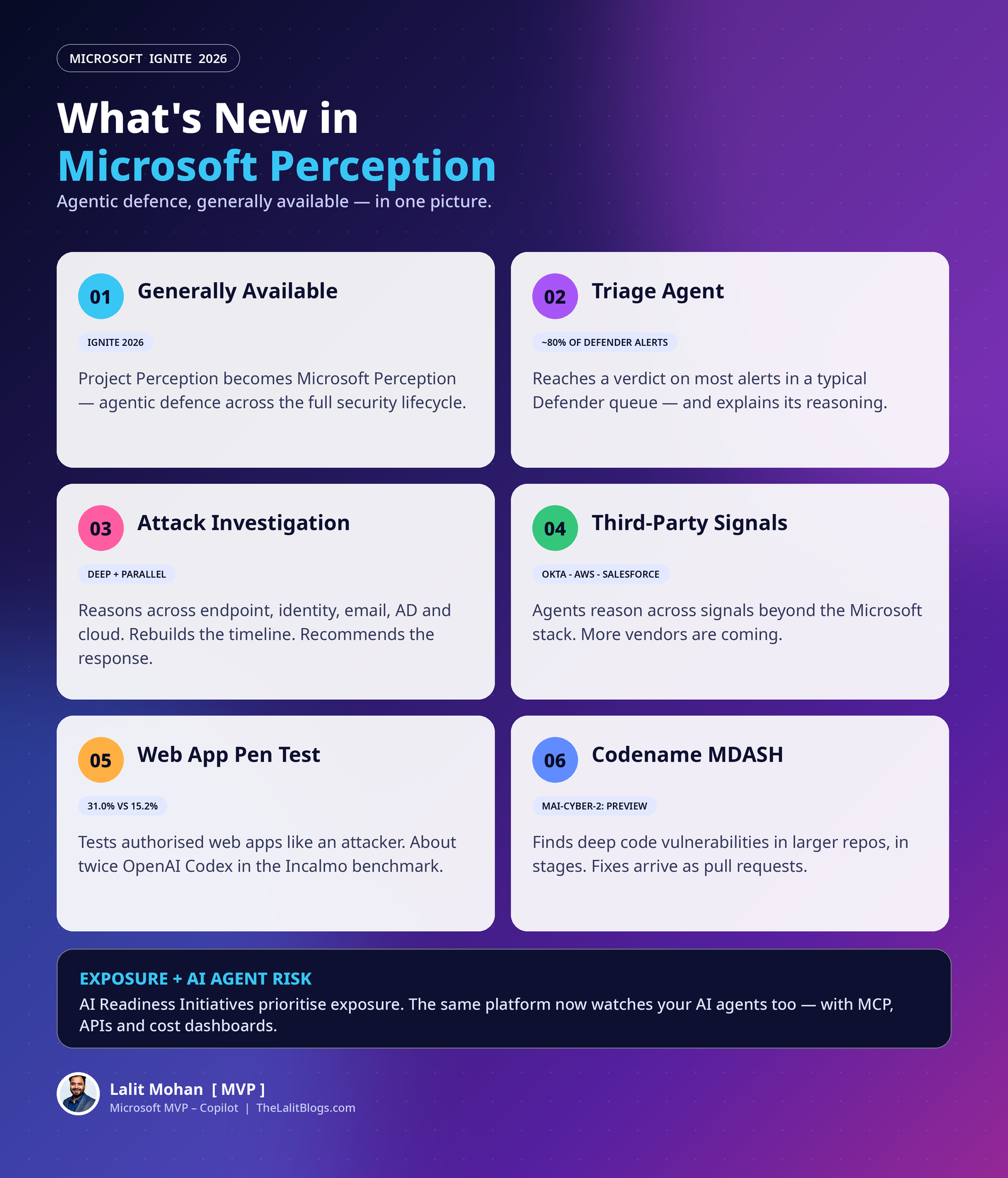
The Triage Agent now covers about 80% of alerts in a typical Microsoft Defender queue.
It reaches a verdict on each alert. It also explains its reasoning.
That matters. Analysts can review the evidence fast and act with confidence.
TÜV SÜD is one early example. Their analysts now review each incident with instant, relevant context. Decisions get faster because the groundwork is already done.
One honest note. The 80% figure comes from Microsoft’s analysis of about 8 million Defender alerts. It is aggregate coverage, not a guaranteed triage rate for your tenant.
4. What Does the Attack Investigation Agent Add?
Triage narrows the queue. Investigation goes deep on what remains.
The Attack Investigation Agent reasons across endpoints, identities, email, Active Directory and cloud resources.
It also looks at relevant activity that never generated an alert.
It then rebuilds the attack timeline. It identifies what was compromised. And it recommends a prioritised response, such as containing an account or isolating a device.
You can also trigger both agents automatically. Their playbooks start before an analyst even opens the alert.
Several attacks can be investigated in parallel. Your analysts stay focused on evidence and decisions, not queue management.
5. Which Third-Party Signals Work with Perception?
Threats do not stop at platform boundaries. Neither do these agents.
Three agents can now reason across signals from specific third-party vendors. More vendors are coming in the months ahead.
| Agent | Supported third-party signals |
|---|---|
| Attack Investigation | Okta, AWS |
| Detection Authoring | Okta, Salesforce, AWS |
| Triage | Okta, Salesforce |
This is a big shift. Agents can now make sense of more of the data already flowing through your SOC.
They no longer stop at the edge of the Microsoft security stack.
6. How Does the Threat Intelligence Agent Help?
Good threat intelligence does not only come from Microsoft.
It can surface in another vendor’s research. Or in a government advisory.
The Threat Intelligence Agent now turns external threat articles into structured findings. It extracts the attacker behaviours, techniques and indicators that matter.
The Detect emerging threats playbook takes the next step. The Detection Authoring Agent translates that intelligence into tenant-aware KQL detection recommendations.
Before anything goes live, the detection is tested against your historical data. You see the estimated alert volume and the tuning it needs.
Analysts review and adjust the recommendation before deployment. Nothing ships without a human decision.
7. What Is the Web App Pen Test Agent?
Security teams do not need another list of possible vulnerabilities. They need to know what an attacker can actually exploit.
The Run web pen test playbook answers that question.
The Web App Pen Test Agent tests an authorised web application from an attacker’s perspective. It covers authentication, APIs, injection and business logic.
For every weakness, you get evidence. You get the affected endpoints. You get severity and proofs of concept.
Microsoft shared an independent benchmark run with Incalmo. The agent achieved a 31.0% average task solve rate.
OpenAI Codex scored 15.2% in the same benchmark. So the Perception agent solved about twice as many tasks.
It also stayed within its testing boundaries in 91% of safety-constrained tests. Scope control matters as much as skill here.
8. What Happens After a Weakness Is Found?
Finding a weakness is only half the job.
The Protect web app playbook completes the loop. The Pen Test Agent finds the weaknesses first.
The Risk Reduction Agent then recommends targeted fixes. One example is a Web Application Firewall rule change in Azure Front Door.
That reduces exposure immediately. Your developers still work on the permanent fix in parallel.
Both playbooks can also take code scanning findings as input. One source is Codename MDASH, covered next.
9. What Is New with Codename MDASH?
MDASH is Microsoft’s multi-model agentic system for finding deep vulnerabilities in source code.
At Ignite, it can scan larger repositories more efficiently. It breaks them into logical units and analyses them in stages.
Teams can track scan progress. And they spend less time chasing false positives.
There is new model support too. The MAI-Cyber family now includes MAI-Cyber-1.1-Flash, with MAI-Cyber-2 in preview.
You can run MDASH where development already happens. That means the Defender portal, the command line, GitHub Actions and Azure DevOps.
Developers review the generated fixes locally. Or they receive them as an automated pull request.
10. How Does Perception Handle Exposure Management?
Teams can see more vulnerabilities than they can ever fix. The real challenge is knowing where risk demands action first.
The new AI Readiness Initiatives page helps. It organises recommendations and agentic actions into focused programmes of work.
Each initiative groups the risks, recommendations and actions needed for one security outcome. Exposure becomes a coordinated effort, not disconnected fixes.
One new initiative targets the monthly Windows update surge. The highest-priority findings land in a recurring initiative.
Agents help prioritise, plan and track the work to completion.
The Reduce exposure risk playbook does the execution. The Risk Reduction Agent assesses the options and recommends the right response.
When a permanent fix is ready, it can coordinate patching through Microsoft Intune. IT keeps control of deployment.
When patching is not possible yet, the agent helps shield the vulnerability instead. Targeted protection buys your team time.
11. How Does Perception Secure AI Agents Themselves?
AI agents now hold sensitive access. Their risk changes as their permissions, connections and behaviour evolve.
Security teams need to see which agents need attention. And they need to know why.
Perception, together with Microsoft 365 E7, brings signals, context and registry data into one view of your agent landscape.
Teams can investigate an agent’s access and behaviour. They can see where concerns arise. And they can identify the changes that reduce the most risk.
Playbooks then turn that understanding into prioritised remediation and coordinated response.
This is the part every Copilot leader should note. The same platform that runs agents also helps you govern everyone else’s agents.
12. APIs, MCP and Cost Visibility
Agentic security has to fit the tools you already run.
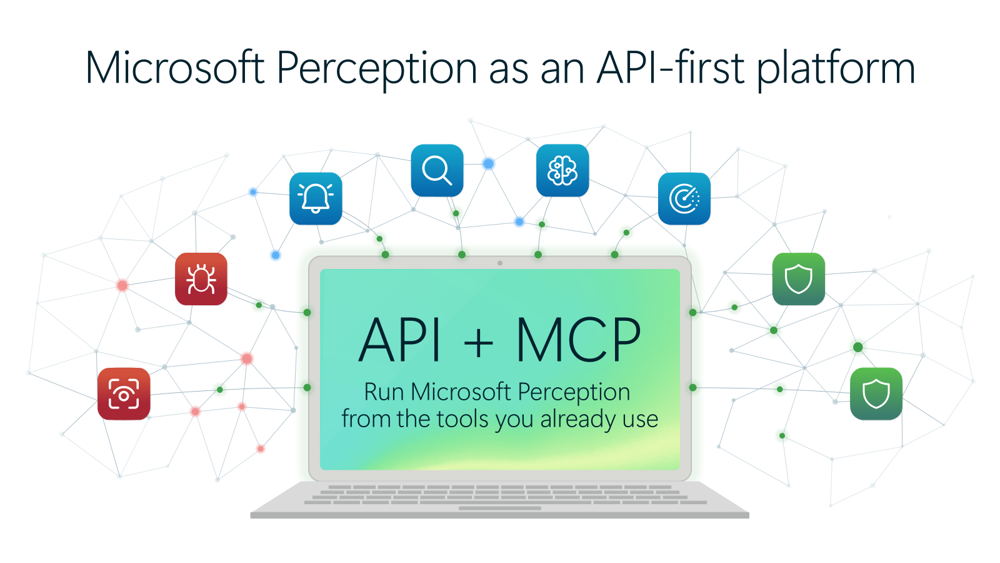
With APIs and Model Context Protocol (MCP) support, you can start Perception playbooks from your ITSM, SIEM or SOAR tools.
Agent sessions and artefacts flow back into those same workflows.
The Government of Nunavut has explored exactly this approach, using the Attack Investigation and Recon agents through Perception MCP.
Cost is covered too. New usage dashboards and a cost calculator show agent activity and spending.
That helps you plan investment. And it connects what you spend on agentic security to the outcomes you get.
Availability at a Glance
| Capability | Status |
|---|---|
| Microsoft Perception (formerly Project Perception) | Generally available |
| Triage Agent (about 80% of a typical Defender queue) | Generally available |
| Attack Investigation Agent with automatic triggers | Generally available |
| Third-party signals (Okta, AWS, Salesforce) | Available for specific agents; more vendors coming |
| Web App Pen Test and Protect web app playbooks | Preview |
| MAI-Cyber-2 model for MDASH | Preview |
| AI Readiness Initiatives | Generally available |
| Reduce exposure risk playbook | Preview |
| Usage dashboards and cost calculator | Generally available |
Summary
Ignite 2026 turns Perception from a project into a platform.
The pattern is clear. Agents work in teams, across the whole security lifecycle. Playbooks coordinate them. Humans set priorities and approve what matters.
Triage scales. Investigation goes deep. Pen testing shows what is truly exploitable.
And the same system now watches your AI agents too.
Attackers already work in parallel. With Perception, defence finally can as well.
What Should You Do Next?
Start with triage.
It is the fastest win. Let the Triage Agent take the bulk of the Defender queue. Measure analyst time before and after.
Pick one web application.
Run an authorised pen test on it. Use the evidence to fix what is actually exploitable, not what merely looks risky.
Bring your third-party signals in.
If you run Okta, AWS or Salesforce, connect them. Your agents get a fuller picture of every attack.
Inventory your AI agents.
Use the agent risk view before you scale Copilot further. Know which agents hold sensitive access today.
Watch the cost dashboard from day one.
Agentic security is usage-based. Visibility now prevents surprises later.
Official Resources
What’s new with Microsoft Perception at Ignite 2026 — Microsoft Tech Community (source article)
Ignite sessions: Project Perception Roadmap (17 Nov, 2:00 PM PST), Find and fix code vulnerabilities faster with Codename MDASH (17 Nov, 4:30 PM PST), and Project Perception: How Agentic Security Works (19 Nov, 10:15 AM PST).
FAQs
What is Microsoft Perception?
Microsoft Perception is an agentic security platform. Teams of specialised AI agents — red, blue and green — work across discovery, investigation, protection and remediation, coordinated by playbooks, with humans approving critical actions.
Is Microsoft Perception generally available?
Yes. At Ignite 2026, Project Perception became Microsoft Perception and reached general availability, with expanded agentic capabilities.
How much of the alert queue can the Triage Agent handle?
Microsoft says about 80% of alerts in a typical Defender queue, based on its analysis of roughly 8 million alerts. It is aggregate coverage, not a guaranteed rate for every tenant.
Does Perception work with non-Microsoft tools?
Yes. Agents can reason across Okta, AWS and Salesforce signals today, with more vendors coming. APIs and MCP support also let you start playbooks from ITSM, SIEM and SOAR tools.
How good is the Web App Pen Test Agent?
In an independent benchmark with Incalmo, it achieved a 31.0% average task solve rate, about twice OpenAI Codex’s 15.2%. It stayed within its testing boundaries in 91% of safety-constrained tests.
