



TL;DR: Microsoft Ignite 2026 marks the turning point where Copilot formally expands from a conversational assistant into an autonomous agent orchestration ecosystem. Key announcements include the general availability of autonomous agents in Copilot Studio, the Microsoft Agent 365 and Entra Agent ID governance framework, next-generation Work IQ, and deep integration of the Model Context Protocol (MCP) across Microsoft 365.
Every year at Microsoft Ignite, enterprise IT teams, consultants, and developers look for the signals that will define their technical roadmap for the next 12 to 18 months.
This year’s theme, “Frontier Transformation,” makes Microsoft’s strategy plain: the era of simply providing chat assistance is over. Organizations are now moving into the “Frontier Firm” model—where human employees work shoulder-to-shoulder with fleets of managed, autonomous AI agents.
If you lead Microsoft 365 strategy, administer cloud infrastructure, or build custom solutions, here is everything announced for Copilot and autonomous agents at Microsoft Ignite 2026.
1. The Autonomous Agent Revolution in Copilot Studio
What is the biggest shift in agent development?
Until recently, building custom bots in Copilot Studio centered largely on predetermined dialogue trees, basic question-answering, and rigid branching flows.
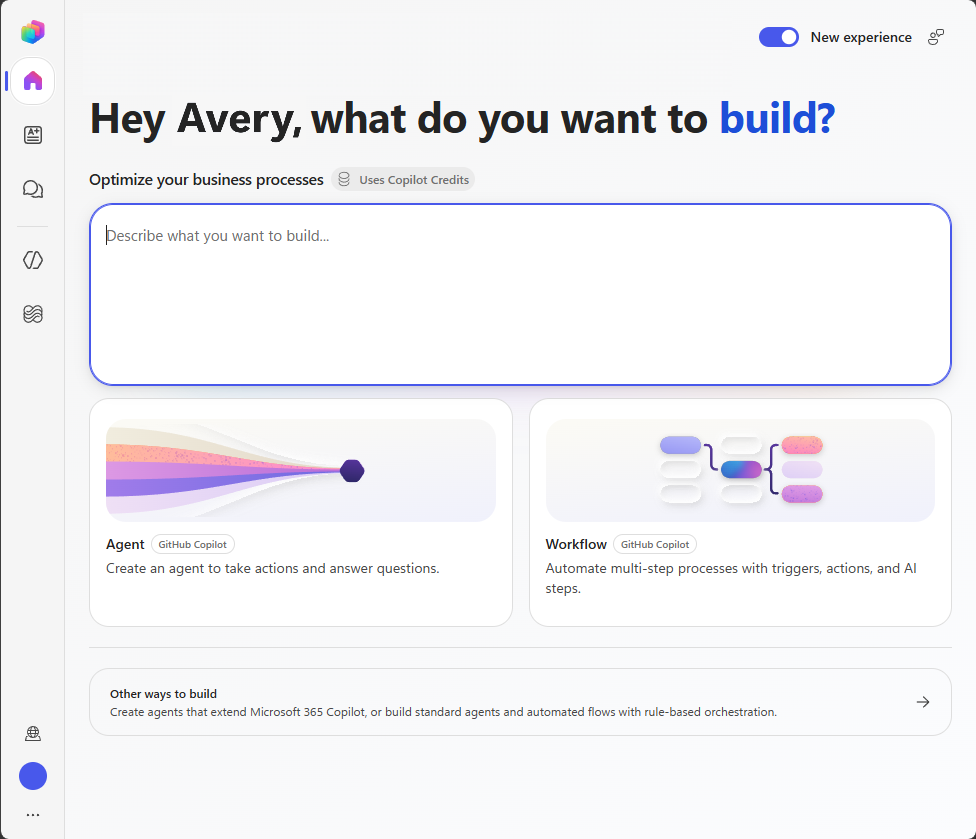
At Ignite 2026, Microsoft announced the General Availability of Autonomous Generative Orchestration in Copilot Studio.
Makers can now build agents that:
- Receive a high-level outcome rather than scripted commands.
- Evaluate complex documents dynamically using the newly announced Extract Nodes.
- Trigger asynchronous operations and cross-system tasks via Copilot Nodes.
- Reason across enterprise databases without manual flow configuration.
Rather than waiting for human commands, these agents operate proactively on schedules or automated data triggers across SharePoint, Dynamics 365, and Dataverse.
2. Microsoft Agent 365 & Entra Agent ID: Enterprise Governance
How do organizations manage thousands of autonomous agents?
As organizations empower citizen developers and business units to deploy agents, IT leaders have faced an emerging crisis: “shadow AI” and unmanaged agent sprawl.
Microsoft’s major administrative announcement at Ignite is Microsoft Agent 365, underpinned by Microsoft Entra Agent ID.
| Capability | What It Does | Why It Matters |
|---|---|---|
| Central Agent Registry | Single pane of glass mapping every active agent across Microsoft and third-party tools. | Eliminates shadow agents by recording who created them, what tools they use, and which data they access. |
| Entra Agent ID | Grants AI agents first-class identity status in Microsoft Entra (formerly Azure AD). | Treats agents like virtual employees with explicit owners, sponsors, and credential lifecycles. |
| Conditional Access for Agents | Extends Conditional Access policies to automated agent operations. | Restricts autonomous runs based on IP ranges, sensitive data labels, or compliance status. |
| Audit & Execution Logging | Ingests all agent API calls and decisions directly into Microsoft Sentinel and Purview. | Provides non-repudiation and forensic tracking if an agent takes an unauthorized or unexpected action. |
This is arguably the most critical governance milestone since the introduction of Microsoft Entra itself. It answers the fundamental enterprise question: Who is responsible when an AI agent makes a decision?
3. Work IQ: The Contextual Intelligence Layer
What is Work IQ and how does it power Copilot?
Announced earlier in 2026, Microsoft used Ignite to showcase the next evolution of Work IQ.
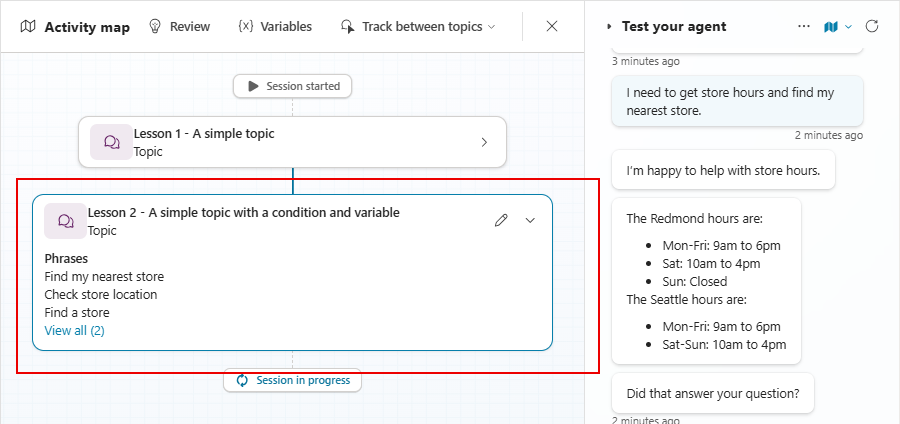
Work IQ acts as the contextual brain beneath Microsoft 365 Copilot. Instead of treating every prompt in isolation, Work IQ continuously constructs an organizational graph reflecting:
- Ongoing project deadlines and milestones.
- Inter-team communication frequencies across Teams and Outlook.
- Working relationships, shared folders, and active documents.
At Ignite, Microsoft demonstrated department-level Work IQ. Copilot can now assess not just what an individual employee needs, but how an entire project team’s dependencies interact.
When an agent compiles a project briefing, Work IQ ensures it accounts for recent revisions across three different OneDrive libraries and a private Teams channel—automatically prioritizing the most relevant version.
4. Model Context Protocol (MCP) Comes to Microsoft 365
Why is MCP support significant?
One of the most welcomed technical reveals at Ignite is Microsoft’s native adoption of the open-standard Model Context Protocol (MCP) across Copilot Studio and Power Platform connectors.
Traditionally, integrating proprietary APIs or specialized internal databases required building complex custom connectors with manual Swagger/OpenAPI schemas.
With native MCP support:
- Agents in Copilot Studio can discover and consume tools exposed by standard MCP servers automatically.
- Developers can write modular MCP services locally or in Azure and expose them directly to Microsoft 365 Copilot.
- Multi-agent orchestration becomes frictionless, allowing agents built on different frameworks to share context and execute coordinated tasks.
5. Next-Generation Frontier Models & Dynamic Switching
What new models are available in Copilot?
Microsoft detailed its expanded multi-model compute layer. Users and administrators are no longer locked into a single fixed model.
In Copilot Chat and Copilot Studio:
- Dynamic Model Switching: Copilot automatically routes prompts to optimal models based on task type. Routine summaries run on ultra-fast, lightweight models, while complex mathematical reconciliation or legal reasoning engages frontier models like GPT-6.1 Sol or Claude Sonnet 5.5.
- FinOps Visibility: Real-time feedback in the Microsoft 365 Cost Management dashboard shows exact Copilot Credit consumption per model tier, giving IT leaders granular visibility into compute spend.
Microsoft Ignite 2026 Copilot Highlights — Summary
| Announcement | Category | Primary Audience |
|---|---|---|
| Autonomous Agent Orchestration | Copilot Studio | Developers & Power Platform Makers |
| Microsoft Agent 365 & Entra Agent ID | Governance & Security | IT Admins, CISOs, & Compliance Teams |
| Department-Level Work IQ | Core Platform | All Enterprise Knowledge Workers |
| Model Context Protocol (MCP) Integration | Extensibility | System Architects & Developers |
| Dynamic Frontier Model Routing | AI Architecture | IT Leaders & FinOps Practitioners |
What Should You Do Next?
To prepare your organization for the capabilities announced at Ignite:
- Review Entra Agent ID documentation: Examine how your tenant manages service principals today and prepare to map existing declarative agents to named identity blueprints.
- Audit your Copilot Studio environments: Identify custom bots currently using static branching logic that could be upgraded to autonomous generative orchestration.
- Establish an Agent Governance Committee: With Agent 365 providing visibility, assemble representatives from IT, security, and business units to define approval criteria for deploying autonomous agents.
The announcements at Ignite 2026 confirm that AI in the enterprise is moving at extraordinary speed. Preparing your governance, permissions, and identity foundations today ensures your organization can safely harness the full power of autonomous agents tomorrow.
Related Microsoft 365 & Copilot Architecture Guides
- Ignite 2026 Copilot preview – In-depth architectural analysis and deployment patterns.
- Microsoft Copilot agents architecture – In-depth architectural analysis and deployment patterns.
- agentic AI security safeguards – In-depth architectural analysis and deployment patterns.
Official Microsoft Documentation & Administrative Resources
- Microsoft Ignite Official Hub – Official Microsoft documentation and service administration.
- Microsoft Copilot Studio Documentation – Official Microsoft documentation and service administration.
- Microsoft Entra Admin Center – Official Microsoft documentation and service administration.
Frequently Asked Questions
When will Microsoft Agent 365 and Entra Agent ID be available in my tenant?
Microsoft announced public preview rollouts starting in late November 2026, with general availability slated across enterprise commercial clouds in early Q1 2027.
Do autonomous agents in Copilot Studio require additional licensing?
Autonomous orchestration requires a Copilot Studio capacity license or Microsoft 365 Copilot add-on. Workloads utilizing frontier reasoning models consume usage-based Copilot Credits managed via your tenant spending policies.
Can external developers build MCP servers for Microsoft Copilot?
Yes. Because MCP is an open protocol, developers can deploy MCP servers on Azure, local infrastructure, or private cloud environments and connect them to Copilot Studio agents via standard endpoints.
How does Work IQ respect existing security permissions?
Work IQ strictly adheres to Microsoft Entra security boundaries, Microsoft Purview sensitivity labels, and tenant access controls. An agent powered by Work IQ can never access or reference documents that the running user (or agent identity) lacks explicit permissions to read.
What is the difference between a declarative agent and an autonomous agent?
Declarative agents tailor Microsoft 365 Copilot’s responses using custom instructions and defined knowledge sources for conversational Q&A. Autonomous agents can proactively plan, evaluate multi-step tasks, call tools via MCP, and execute long-running workflows without continuous user prompting.
