



TL;DR
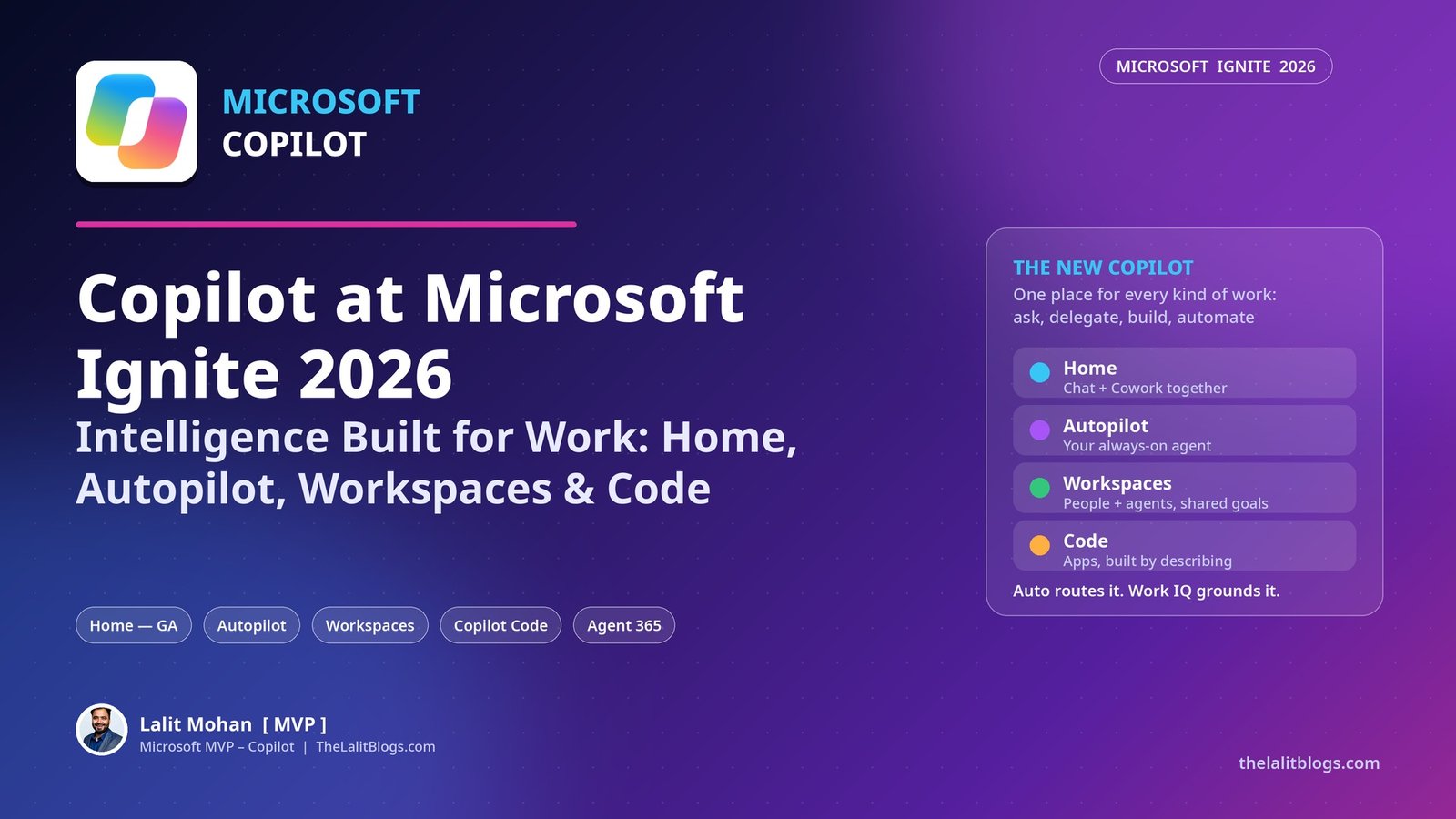
Copilot now has one home for every kind of work. Home, where Chat and Cowork come together, is generally available. So is Office inside the Copilot app.
Autopilot, the always-on personal agent, starts rolling out to Frontier customers today. Workspaces makes Copilot multiplayer, and it is available in Frontier.
Copilot Code arrives in the coming weeks. The Managed Runtime that hosts your apps is generally available today.
Underneath it all sit two engines. Auto picks the right model for every task. Work IQ supplies the context from your work data.
1. What Did Microsoft Announce for Copilot at Ignite 2026?
Microsoft’s vision for Copilot is becoming real. That was the message from Ignite this morning.
The idea is simple. One person can ask, delegate, build and automate, all in one place.
For years, each of those lived in a different tool. You were the glue holding it all together.
Now there is one Copilot for all of it. I am in San Francisco for Ignite this week, and this is the announcement every Copilot conversation here keeps coming back to.
Two things power the whole experience. Auto routing and Work IQ. Let us start there.
2. How Does Auto Routing Work?
No single AI lab is the best at everything. Microsoft is not asking you to pick just one.
Copilot brings together leading models from across the industry. Auto then routes each task to the right model.
It selects the model and the reasoning effort dynamically. It balances quality, speed and cost.
It saves more power for the moments that need it. It spends less when the task is simple.
Employees can still select models manually, from OpenAI or Anthropic. IT governs that access through organisational policies.
For IT leaders, this is the headline. Model choice stops being a user decision. It becomes a governed, cost-aware default.
3. What Is Work IQ, and Why Does It Matter?
Knowledge work is fragmented and messy. It lives in emails, Teams meetings, chats, Word memos and slide comments.
The scale is enormous. Microsoft 365 holds more than 19.5 exabytes of data.
That includes 90 billion emails and 15 billion Teams messages. And 10 billion new files are added every week.
Giving a model access to that data is not enough. The real challenge is knowing what matters for the task at hand.
Work IQ solves that. It understands what you are looking for, and what you can safely ignore.
The result is accurate, efficient answers that traditional APIs cannot match. This context layer is what sets Copilot apart.
4. What Is Copilot Home?
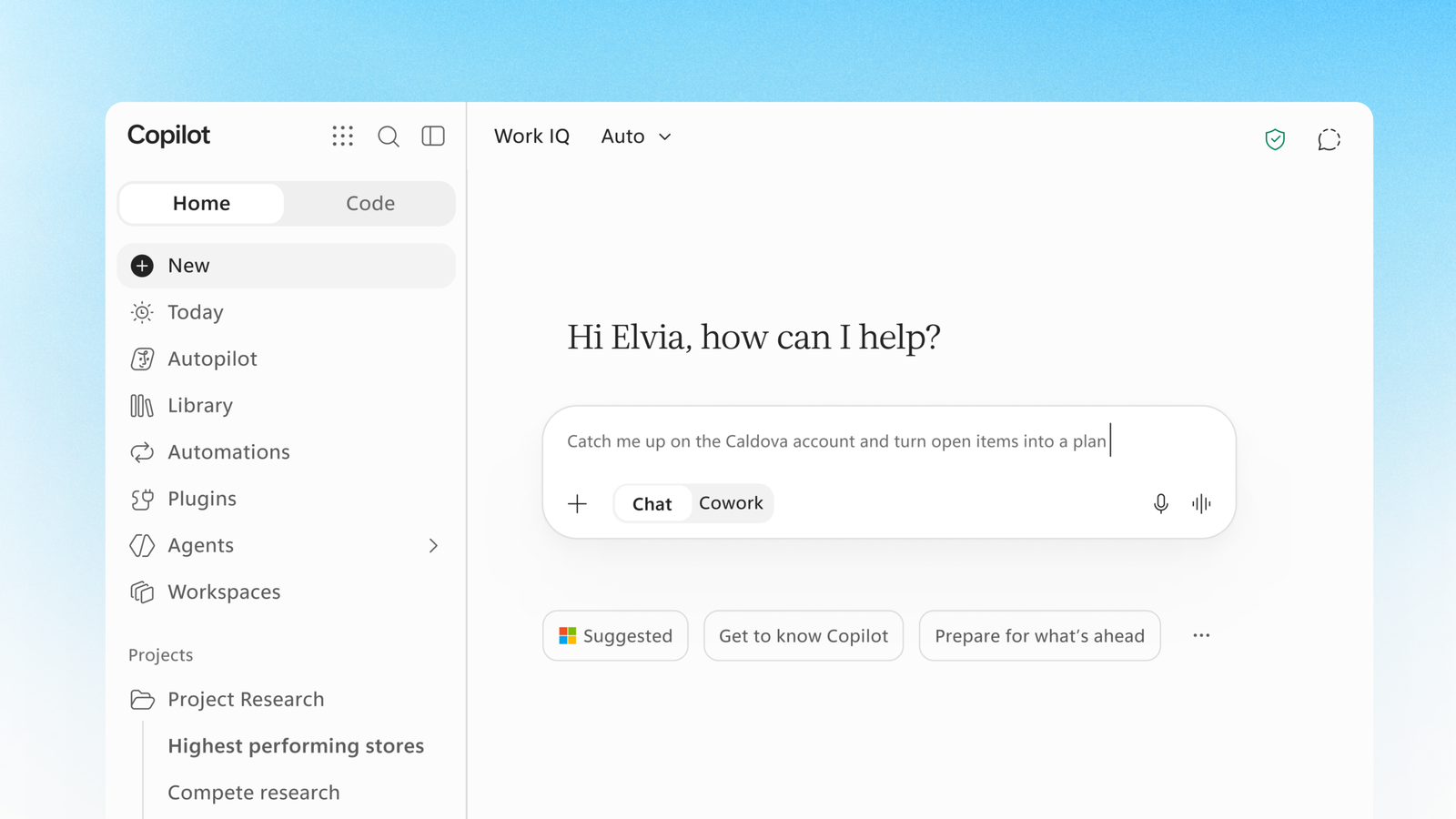
Home is your new starting point in Copilot. It is now generally available.
Chat and Cowork come together here. Work travels between meetings, chats, documents, emails, apps and agents. Home keeps you grounded.
You can review recent activity. You get suggestions on what Copilot can help with. And you pick up work where you left off.
Ask a quick question in Chat. Or hand off a whole workflow to Cowork.
Home has one composer, powered by Auto. You say what you want to accomplish. Copilot routes the work to the right models and effort.
For complex work, Auto may recommend moving from Chat to Cowork. If you agree, the task transfers seamlessly.
5. What Is the Today Experience?
Inside Home sits a new experience called Today. Think of it as a command centre for your day.
It spans mail, calendar, Teams threads, meetings and tasks. It shows what you missed, what needs attention now, and what can wait.
Today does not just surface work. It helps you finish it.
The draft is written and ready for you to edit. The schedule change is already proposed. The forgotten follow-up is waiting to be sent, with full context.
Today is currently in private preview in the Copilot app and Outlook.
6. What Is Office in Copilot?
Knowledge work runs on Word, Excel and PowerPoint. Microsoft is bringing the full power of Office directly into the Copilot app.
Office in Copilot is generally available. You can move from idea to a finished document without switching apps.
You edit and coauthor with your teammates in the same place. Every file inherits Microsoft 365 permissions, sensitivity labels and compliance controls from the start.
There is a commercial point here too. You can create a PowerPoint deck or an Excel spreadsheet without spinning a meter.
That value is already included in your Copilot subscription licence. No other AI tool offers that.
7. What Is Autopilot?
Autopilot is a trusted autonomous agent. It is personal to you, always on, and working for you.
It lives in your tenant. It has its own identity, memory and tools.
It shows up where people already work: Teams, Outlook, chats, channels and documents. You can @mention it like a colleague.
It can watch Teams channels and follow up on emails. It can run recurring work and manage a project, without waiting for a prompt.
Microsoft gives a strong example. Autopilot can run a full supplier review process on its own, from the schedule and workback plan to prep, meetings and follow-ups.
Trust is the design constraint. Each Autopilot has its own Microsoft Entra Agent ID and a named manager.
IT can scope its access and block it at any time. Its sign-ins and actions are logged under its own name, so the audit trail is clear.
You decide what work it takes on. It can check with you before key actions. Autopilot starts rolling out to Frontier customers today.
8. What Are Copilot Workspaces?
Until now, AI has mostly been single player. Workspaces makes it multiplayer.
People and agents work towards a common goal, with shared context. Workspaces is the evolution of Copilot Notebooks.
An agent drafts a section of a document. You review it. You leave a comment, and an agent picks it up.
Your Autopilot takes a task and checks with you before anything is final. Files, conversations, people and agents sit together in the Copilot app.
The collaboration continues in Microsoft Teams. Workspaces is now available in Frontier.
9. What Is Copilot Code?
Apps are the new knowledge worker artefact. Copilot Code lets the people closest to a problem build the solution.
Describe what you want in your own words. An app, an interactive dashboard, or a persistent desktop widget.
Copilot picks the best approach and builds it. You share the result just as you would a Word document.
Apps are hosted securely in your tenant with the Copilot Managed Runtime. That runtime is generally available today.
IT stays in control. Every app is visible and managed in the Microsoft 365 admin centre.
Copilot Code itself becomes generally available in the coming weeks.
10. How Does Copilot Work Better on Windows?
Copilot also works better on Windows. The feature is called Hybrid Intelligence.
Copilot can ground itself in the context on your local PC. It can complete local actions.
It can even offload the right work to models running locally on your PC. That saves time and money.
It is a quiet announcement with a big cost implication for large estates.
11. Which Plugins and Skills Did Microsoft Announce?
Copilot is an extensible platform. Work IQ provides the context. Plugins bring your business data and processes into the experience.
A new plugin catalog makes plugins easy to discover. A unified plugin registry gives IT centralised management and control.
The biggest addition is Dynamics 365 in Copilot. Updated plugins for Sales, Customer Service, and Finance and Operations bring more than 100 prebuilt skills into Copilot.
Here is the breakdown by function:
| Function | Prebuilt skills | What it does |
|---|---|---|
| Sales | 44 skills | Pipeline prioritisation, forecast rollups, deal readiness, meeting prep, lead qualification and outreach |
| Customer Service | 13 skills | Case triage, case history, knowledge answers, reply drafts and escalation summaries |
| Salesforce in Copilot | More than 38 skills | Brings Salesforce account, opportunity and pipeline data into the flow of work |
| Finance | 30 skills | Workbook analysis in Excel and ERP workflows, from month-end close to acquisition evaluation |
| Legal | More than 20 skills | Drafting and negotiating agreements, obligations and deadlines, research turned into guidance |
For sales and service, agents go further than drafting. They can qualify leads, create and update cases, and turn resolved cases into knowledge.
Nothing is committed without review. Case updates and CRM changes are drafted first, and a human approves them.
BNY is one early voice here. Their teams now surface account insights and client developments in real time, without switching applications.
12. What Is New in Agent 365?
Every IT leader needs control. Every business leader needs to understand value and spend. Agent 365 is expanding on both fronts.
Visibility is broadening through new connected platforms, including Anthropic, Databricks, OpenAI and Salesforce. You can also manage agents across multiple tenants.
Identity and access governance expands through Entra Agent ID. There are new controls for agent tools, including MCP servers, plugins and skills.
Security for local agents on devices gets stronger too, through deeper integration with Intune, Defender and Windows, using Microsoft Execution Containers (MXC).
Then there is the money question. Agent 365 now extends into FinOps for AI.
Corporate AI spending doubled in a year. More than 80% of it now sits outside the enterprise IT budget (BCG, The Formula for Agentic AI Value, Sep 2026).
Agent 365 Business Analytics connects spend, guardrails, adoption and ROI. It starts rolling out today in Frontier Public.
It measures investment in work completed, not just tokens. It analyses tasks, how long they take a person, and the share Cowork performed.
Agent 365 Cost Management gives IT one place to track consumption across users, services, agents and models.
Leaders can set spending policies, limits and proactive alerts. In Cowork, your team sets a spending limit, so there are no surprises when the bill arrives.
13. How Does the Commercial Model Work?
Microsoft has designed the commercial model to control AI spend in two ways.
First, a predictable per-user subscription. It makes powerful Copilot capabilities broadly accessible.
Second, a usage-based consumption model. It gives you the most powerful AI for the very hardest tasks.
As the Frontier advances, more capability keeps moving into the subscription licence.
Microsoft cites a recent GigaOm report on cost. For comparable quality, Copilot is 84% cheaper than Claude and 63% cheaper than ChatGPT for an everyday user.
For an advanced user, Copilot is 68% cheaper than Claude and 35% cheaper than ChatGPT.
Treat vendor-commissioned comparisons with care. But the direction is clear: Auto routing plus the subscription is Microsoft’s cost argument.
14. Who Is Already Using Copilot at Scale?
Nearly 80% of the Fortune 500 now use Cowork. That is the adoption headline from Ignite.
At Lilly, more than 5,000 people use Copilot Cowork every month. Scientists hand Cowork multi-step research tasks before the lab work begins.
That shortens the path to breakthroughs. Scientists spend more time on science.
Bayer, Honda, Mastercard and Michelin are also using Copilot to transform how they work.
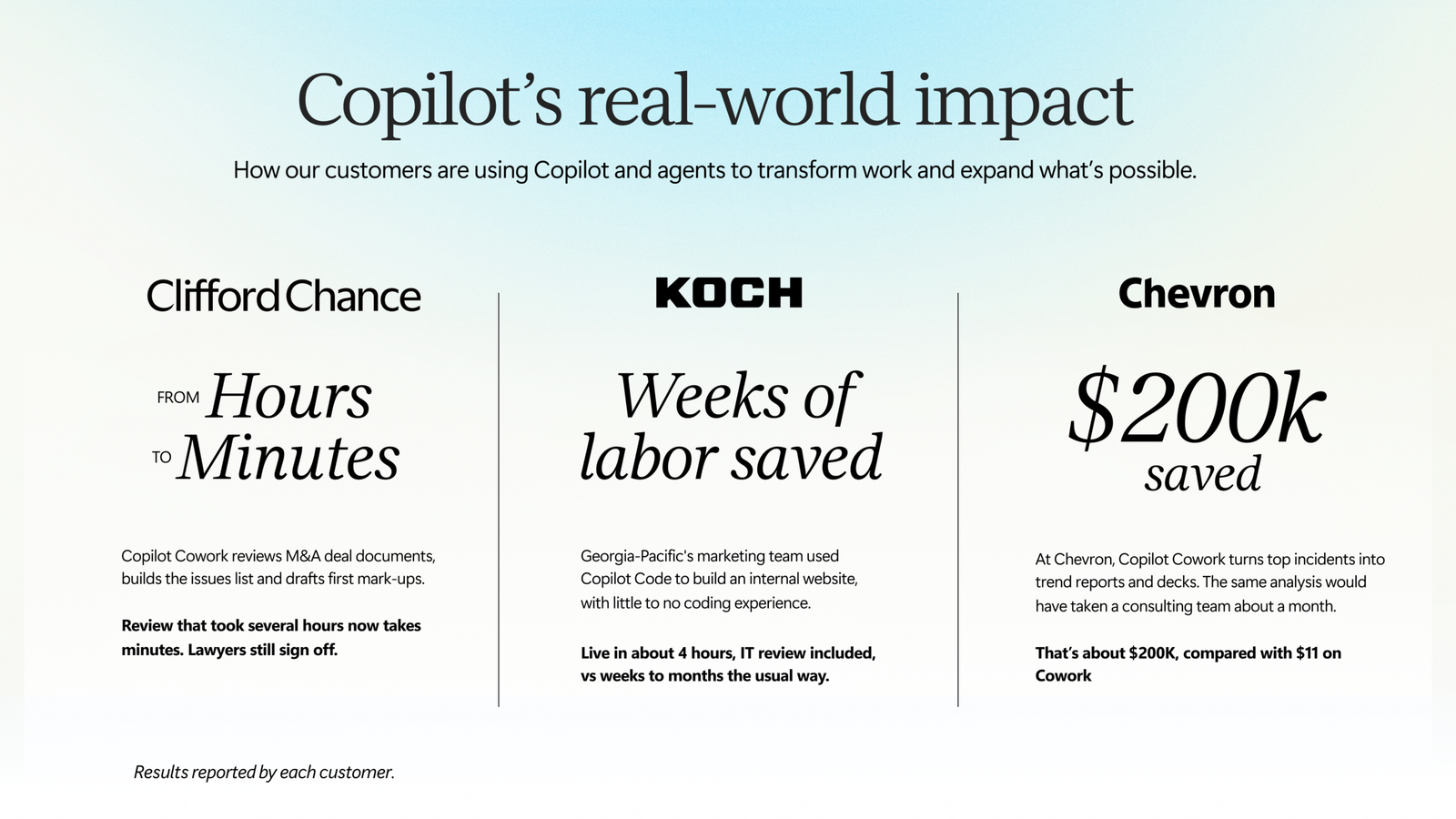
The impact infographic below adds three more stories. At Clifford Chance, Cowork reviews M&A deal documents in minutes instead of hours, and lawyers still sign off. At Koch’s Georgia-Pacific, the marketing team built an internal website with Copilot Code in about 4 hours, saving weeks of labour. And at Chevron, a Cowork analysis that would have cost about $200,000 through consultants cost $11.
Availability at a Glance
| Capability | Status |
|---|---|
| Home (Chat and Cowork together) | Generally available |
| Office in Copilot | Generally available |
| Copilot Managed Runtime | Generally available |
| Copilot Code | Generally available in the coming weeks |
| Autopilot | Rolling out to Frontier customers |
| Workspaces | Available in Frontier |
| Today experience | Private preview (Copilot app and Outlook) |
| Agent 365 Business Analytics | Rolling out in Frontier Public |
| Dynamics 365 in Copilot, Salesforce in Copilot and function plugins | Available — announced at Ignite 2026 |
Summary
Ignite 2026 gives Copilot a single foundation. Ask in Chat. Delegate in Cowork. Build with Code. Automate with Autopilot.
Home holds it together. Auto routes the work. Work IQ supplies the context.
Agent 365 watches over the estate, and now the spend too.
The question is no longer which AI tool to buy. It is how fast your organisation can redesign work around intelligence that is already here.
What Should You Do Next?
Start with Home.
It is generally available. Make it the default starting point and teach the Chat-to-Cowork handoff early.
Set your model policy now.
Auto routing works best with clear organisational policies on which models users can pick manually.
Prepare for Autopilot properly.
It is Frontier today. Use the time to agree on Entra Agent ID, named managers and access scoping before it reaches your tenant.
Pick one function and go deep.
Sales, service, finance and legal all have prebuilt skills now. One function, one workflow, measured end to end.
Turn on cost visibility from day one.
Most AI spend already sits outside IT. Agent 365 Cost Management is how you see it before it surprises you.
Official Resources
Copilot at Microsoft Ignite: Expanding what’s possible with intelligence built for work — Microsoft Copilot Blog, 17 November 2026 (source article)
FAQs
What is Copilot Home?
Home is the new starting point in Copilot where Chat and Cowork come together. It is generally available, with one Auto-powered composer, recent activity and suggestions, so you can ask a question or hand off a whole workflow in one place.
What is Autopilot in Microsoft Copilot?
Autopilot is an always-on autonomous agent that is personal to you. It has its own Entra Agent ID, memory and tools, works in Teams and Outlook, and can run recurring work and projects. It starts rolling out to Frontier customers at Ignite 2026.
What is the difference between Auto and Work IQ?
Auto routes each task to the right model and reasoning effort, balancing quality, speed and cost. Work IQ is the context layer: it reasons over your Microsoft 365 work data to identify what matters for the task.
When is Copilot Code generally available?
Microsoft says Copilot Code becomes generally available in the coming weeks. The Copilot Managed Runtime that hosts the apps is generally available now.
What is Agent 365 Business Analytics?
It is a new Agent 365 experience that connects spend, guardrails, adoption and ROI, measuring AI investment in work completed rather than tokens alone. It starts rolling out in Frontier Public at Ignite 2026.
