



TL;DR: Connecting AI agents to external databases and custom APIs previously required writing complex OpenAPI (Swagger) files and building static custom connectors. By adopting the open Model Context Protocol (MCP), Microsoft Copilot Studio enables agents to discover tools, resources, and prompt templates dynamically from any MCP server—while inheriting enterprise Data Loss Prevention (DLP) and authentication guardrails.
If you have spent time extending Microsoft 365 Copilot or building custom bots in Copilot Studio, you know the integration pain.
Every time you wanted an agent to query a PostgreSQL database, call an internal microservice, or read a ticket from an external issue tracker, you had to:
- Export or hand-craft an OpenAPI JSON/YAML definition.
- Build a custom Power Platform connector.
- Map parameter types manually.
- And if the backend API added a single new endpoint, your connector broke until you redeployed the definition.
The AI industry is moving away from bespoke, brittle API wrappers.
The Model Context Protocol (MCP) has emerged as the universal standard for connecting Large Language Models to tools and data sources.
Microsoft has brought native MCP integration into Microsoft Copilot Studio. Here is how MCP works, why it matters for developers and architects, and how to use it in your workflows.
What is the Model Context Protocol (MCP)?
Why was MCP created?
Created as an open standard, MCP provides a unified communication contract between AI models (clients) and external data services (servers).
Think of MCP as the USB-C port for generative AI applications.
Instead of writing a custom driver for every single peripheral, any MCP-compliant server exposes its capabilities using a standardized protocol:
- Tools: Executable functions the agent can trigger (e.g.,
calculate_shipping_rate(weight, destination)orcreate_jira_issue(title, priority)). - Resources: Read-only data payloads or file-like context the agent can inspect (e.g., a real-time database schema, a log stream, or a customer profile).
- Prompts: Pre-engineered prompt templates designed by the service author to guide the LLM on how to interact with the service.
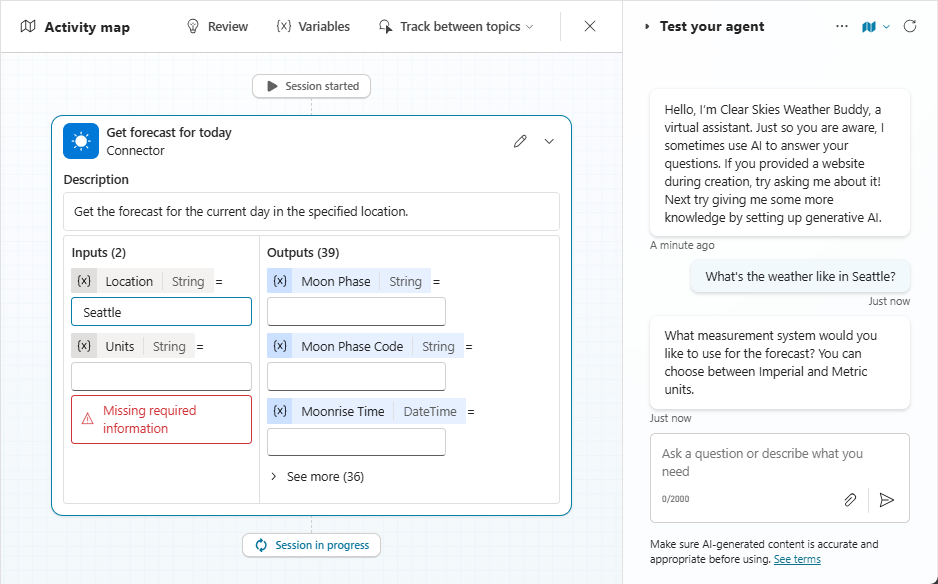
When you point Copilot Studio to an MCP server, the agent automatically inspects the server manifest and registers available tools on the fly. No manual schema mapping required.
How MCP Integrates with Copilot Studio
1. Dynamic Tool Discovery
When a developer adds an MCP server into Copilot Studio:
- The agent queries the server’s tool catalog dynamically.
- If the development team updates the MCP server in Azure next week with three new functions, Copilot Studio detects them automatically.
- Maintenance overhead drops dramatically because makers don’t have to touch the agent canvas every time backend APIs change.
2. Enterprise Governance via Power Platform Infrastructure
A major risk with open-source protocols is enterprise compliance: How do you prevent an agent from passing confidential data to an unauthorized tool?
Microsoft addressed this by routing MCP traffic through the Power Platform connector infrastructure:
- DLP Enforcement: Security administrators can categorize MCP servers into Business, Non-Business, or Blocked data groups via the Power Platform Admin Center.
- Virtual Network (VNet) Peering: MCP servers running in private enterprise clouds can communicate with Copilot Studio across secure, private endpoints without exposing traffic to the public internet.
- Entra ID Authentication: Agents pass OAuth 2.0 or managed identity tokens directly to the MCP server, ensuring end-to-end identity auditability.
Custom Connectors vs. MCP in Copilot Studio
| Feature | Legacy Custom Connectors | Model Context Protocol (MCP) |
|---|---|---|
| Specification | OpenAPI 2.0 / 3.0 (Swagger) | Standardized JSON-RPC Model Context Protocol |
| Tool Registration | Manual parameter and action mapping | Auto-discovered dynamically at runtime |
| Context Resources | Requires building separate read actions | Native read-only resource streaming |
| API Changes | Requires re-uploading Swagger definition | Server pushes updated tool manifest automatically |
| Ecosystem Portability | Locked to Microsoft Power Platform | Universal standard supported across leading AI frameworks |
| Governance | Power Platform DLP policies | Governed under Power Platform DLP & VNet controls |
Real-World Scenario: Customer Support Triage
Consider an enterprise customer support agent built in Copilot Studio:
- The Caller Asks: “What is the delivery status of order #9821, and can you waive the express delivery fee?”
- MCP Tool Invocation: The agent inspects its connected ERP MCP Server. It discovers two tools:
get_order_statusandissue_credit_memo. - Execution: It calls
get_order_status(9821), sees the package is delayed due to weather, and evaluates company policy via a read-only Policy Resource. - Action: It triggers
issue_credit_memo(order_id=9821, amount=15.00, reason="Weather Delay")and drafts a confirmation message back to the customer.
The agent performed multi-step database reads, policy lookups, and transactional writes across external systems without the developer configuring a single custom API action by hand.
How to Connect an MCP Server in Copilot Studio
Step 1: Deploy Your MCP Server
Host your MCP server in Azure Container Apps, an Azure App Service, or behind an internal API Gateway configured with HTTPS and standard token authentication.
Step 2: Register in Copilot Studio
- Open your agent in Microsoft Copilot Studio.
- Select Tools from the top menu → click + Add a tool.
- Choose Model Context Protocol (MCP).
- Enter the server endpoint URL and select your authentication method (e.g., Azure Entra ID or API Key).
Step 3: Test and Orchestrate
- The available tools and resources will appear in your agent’s tool panel.
- Toggle on Generative Orchestration so the agent can autonomously determine when to call each MCP tool based on user intent.
- Use the test pane to simulate prompts and inspect the JSON-RPC execution traces.
What Should Architects and Developers Do Next?
- Evaluate your existing custom connector portfolio: Identify connectors that require frequent OpenAPI maintenance and plan to migrate their backend handlers to standard MCP servers.
- Standardize on MCP for internal services: When building internal APIs for generative AI consumption, adopt MCP server templates (available in Python, TypeScript, and C#) to ensure compatibility across both Copilot Studio and local developer tooling.
- Configure DLP policies in Power Platform Admin Center: Ensure that MCP server endpoints are classified appropriately within your data security groups before citizen developers connect them to production agents.
Related Microsoft 365 & Copilot Architecture Guides
- Copilot Studio node orchestration – In-depth architectural analysis and deployment patterns.
- building custom Copilot connectors – In-depth architectural analysis and deployment patterns.
- enterprise Copilot agents architecture – In-depth architectural analysis and deployment patterns.
Official Microsoft Documentation & Administrative Resources
- Model Context Protocol Official Specification – Official Microsoft documentation and service administration.
- Microsoft Copilot Studio Connectors – Official Microsoft documentation and service administration.
- Microsoft Power Platform Extensibility – Official Microsoft documentation and service administration.
Frequently Asked Questions
Is MCP support in Copilot Studio in preview or generally available?
Microsoft transitioned Model Context Protocol integration from public preview to General Availability across commercial enterprise environments.
Can an agent communicate with local MCP servers running on a developer laptop?
During local development and testing, developers can use tunneling tools like dev tunnels or Azure Relay to expose a local MCP server to the Copilot Studio test canvas. For production, servers must be hosted in cloud environments accessible to your tenant.
Does MCP consume Copilot Credits?
The protocol connection itself does not incur a separate charge. However, if your Copilot Studio agent uses generative orchestration and frontier reasoning models to determine when and how to call MCP tools, those reasoning cycles consume Copilot Credits.
Can an agent connect to multiple MCP servers at once?
Yes. An agent can connect to multiple independent MCP servers (for example, one for Salesforce data, one for Jira issue management, and one for internal SQL reporting) and orchestrate calls across them seamlessly.
How does MCP handle user permissions?
MCP servers support user-delegated authentication. When an agent invokes a tool, it can pass the signed-in user’s Entra ID token, ensuring that the MCP server enforces the caller’s specific database permissions and row-level security.
