



TL;DR: When employees prompt Microsoft 365 Copilot, where do those prompts and generated responses go? Microsoft Purview has officially decoupled Copilot compliance records from standard Teams retention policies, introducing standalone retention locations for AI interactions, real-time Data Loss Prevention (DLP) prompt evaluation, and lifecycle governance over Copilot memory.
When organizations first deployed Microsoft 365 Copilot, compliance officers and legal teams had urgent questions:
- Are Copilot prompts saved indefinitely?
- What happens when Copilot references a confidential document in a summary?
- Can employees leak sensitive customer information through an AI prompt?
Initially, Microsoft routed Copilot compliance records through standard Microsoft Teams chat retention policies. While functional, it created massive compliance friction—organizations couldn’t retain Teams messages for 30 days while keeping legal audit logs of AI interactions for 3 years.
Microsoft has completed a major architectural overhaul inside Microsoft Purview, giving AI-generated content and prompts their own first-class compliance framework.
Here is how real-time DLP, standalone retention policies, and Copilot memory governance work today.
1. Standalone Retention Locations for AI Interactions
Why did Microsoft decouple Copilot from Teams retention?
Under the legacy architecture, Copilot prompts and responses were bundled together under the Teams chats and Copilot interactions retention location.
This created a major governance dilemma:
- If your company had a policy to purge internal Teams chats after 90 days to reduce discovery risk, your Copilot interaction history was purged after 90 days as well.
- However, financial and legal regulators often mandate a 3-to-7-year audit trail for automated recommendations and executive business briefings.
The New Purview Structure
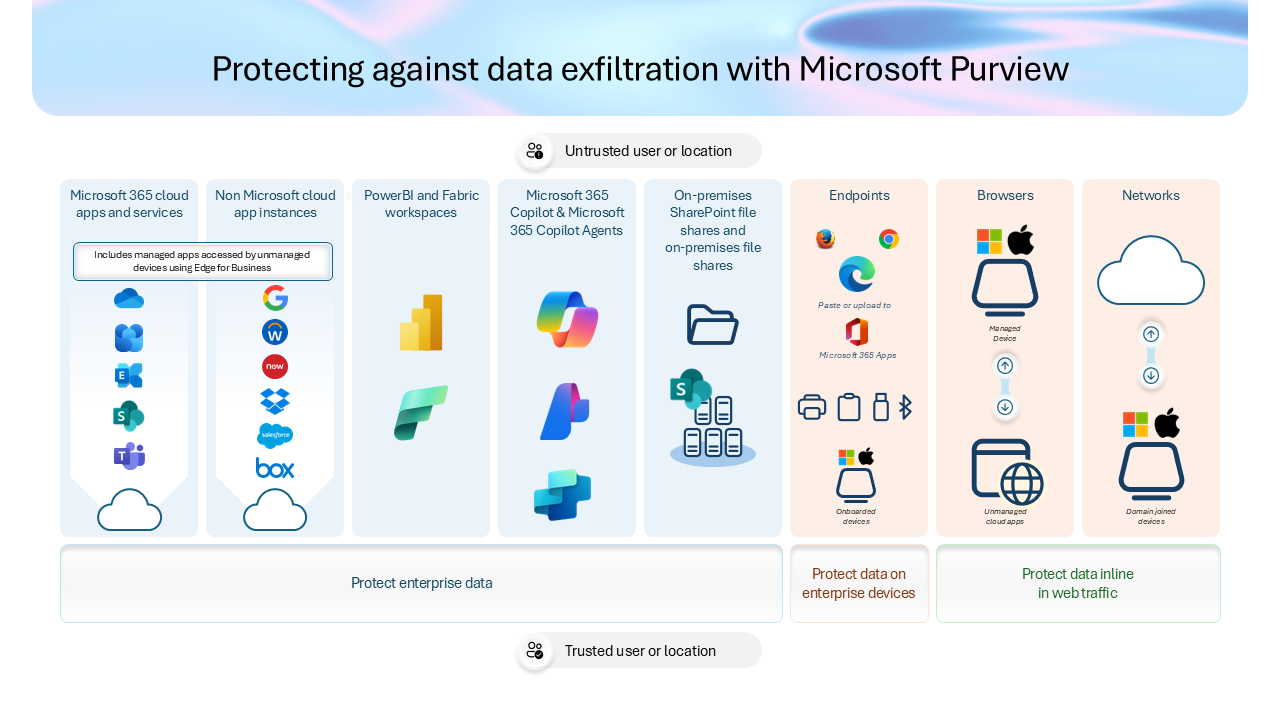
Purview now provides dedicated, independent retention locations:
| Retention Location | What It Captures | Typical Compliance Setting |
|---|---|---|
| Microsoft 365 Copilot Experiences | Prompts and responses across Word, Excel, PowerPoint, Outlook, and Copilot Chat. | Retain for 3 to 7 years (statutory audit requirement). |
| Microsoft Copilot Studio Agents | User conversations and autonomous execution traces from custom agents. | Retain for 1 to 3 years. |
| Copilot Memory & Saved Context | Persistent user instructions and remembered preferences. | Aligned to employee employment tenure. |
| Standard Teams Chats | 1:1 and group peer-to-peer chats between human employees. | Purge after 90 to 180 days (standard corporate policy). |
This decoupling allows compliance administrators to apply strict, customized lifecycle rules to AI outputs without altering human communication retention.
2. Real-Time Data Loss Prevention (DLP) on Prompts
What stops an employee from pasting credit card numbers or source code into Copilot?
Traditional DLP inspected files sitting in SharePoint or emails sent via Exchange. But generative AI introduces a different data egress path: the prompt box.
Microsoft Purview DLP now performs in-line, real-time evaluation before a prompt is processed by the language model:
- A user pastes raw text containing Sensitive Information Types (SITs)—such as credit card numbers, social security IDs, or proprietary source code keys.
- Purview DLP intercepts the payload before it reaches the Copilot reasoning engine.
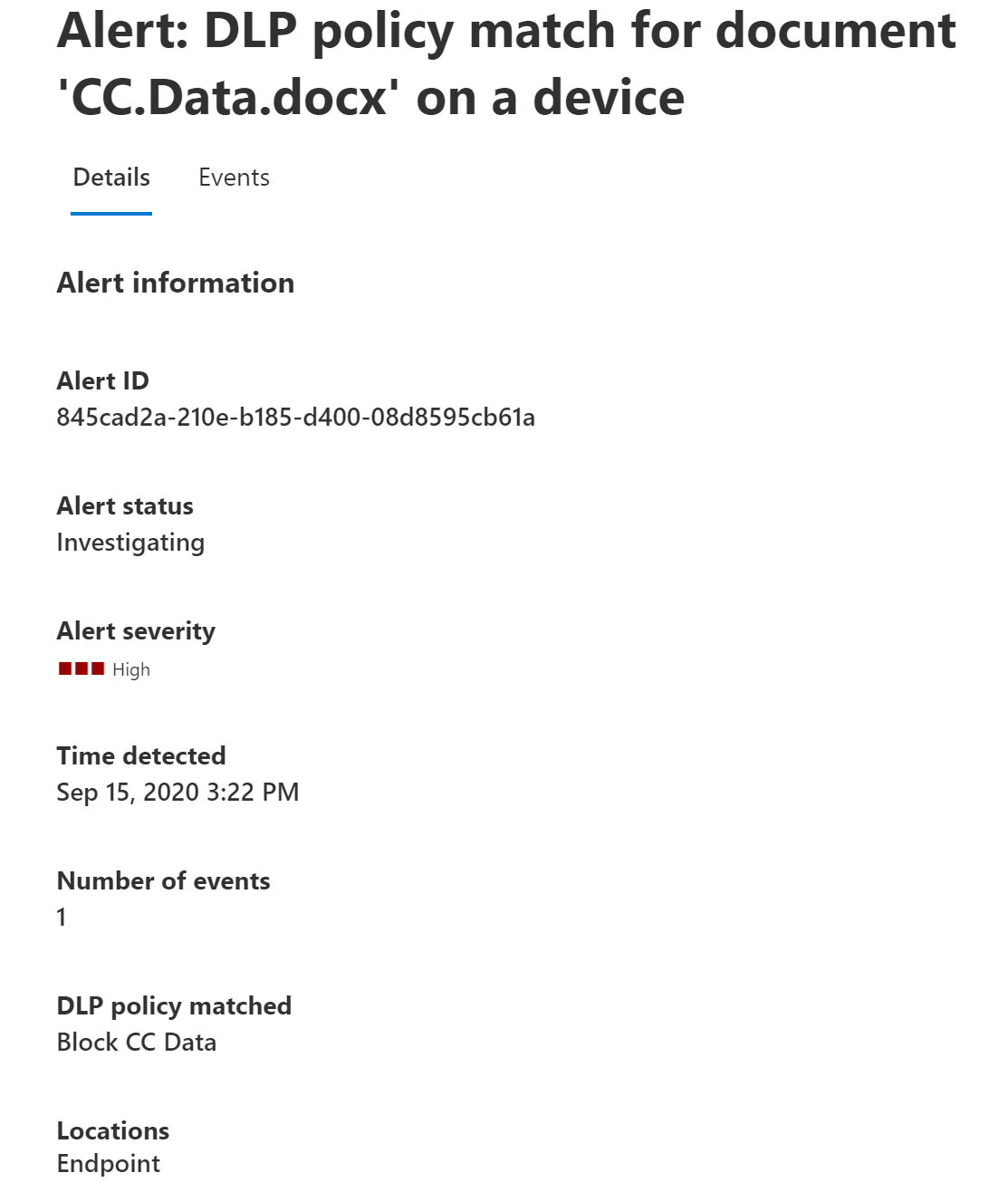
- If an active policy restricts that data type, Copilot blocks the request instantly and displays an enterprise policy notification.
- An alert is logged directly into the Microsoft Purview audit dashboard for security review.
Expansion to Copilot Cowork and Web Search
Crucially, DLP guardrails also apply when Copilot attempts to search the public web:
- If an employee asks: “Search the web for competitor pricing and compare it against our confidential draft price sheet”, Purview prevents Copilot from leaking the internal draft numbers into the external search query.
3. Governing Copilot “Memory”
How does Purview manage persistent AI memory?
As Copilot becomes more personalized, it remembers user working styles, frequent collaborators, and recurring instructions (e.g., “Always format financial numbers in millions with two decimal places”).
While convenient, saved memory represents stored enterprise context.
Under Purview Data Lifecycle Management:
- Administrators can set expiration lifecycles on Copilot memory.
- If an employee transfers to another division or leaves the organization, their stored AI memory profile can be programmatically cleared or archived.
- Compliance officers can review an employee’s saved Copilot memory profile during eDiscovery investigations.
4. Role-Based Access: Purview Data Security AI Admins
Can IT admins read employee prompts?
One of the greatest employee concerns surrounding AI governance is privacy: Can my IT administrator read everything I type into Copilot?
To protect user trust, Microsoft introduced the Purview Data Security AI Admin role.
Administrators assigned this role can:
- Configure DLP rules, sensitivity label policies, and retention schedules for Copilot.
- View aggregate risk telemetry, prompt volume trends, and blocked violation metrics.
- Crucially: They CANNOT read raw user prompts or unredacted conversation transcripts.
Only compliance officers with explicit, audited eDiscovery Manager or Reviewer permissions can access raw prompt transcripts—and only in response to a formal legal hold or regulatory subpoena.
Purview Governance Checklist for Administrators
| Objective | Configuration Step | Recommended Setting |
|---|---|---|
| Separate Retention | Purview Admin Center → Data Lifecycle → Retention Policies | Create dedicated policy for “Microsoft Copilot experiences” (e.g., 3-year retain). |
| Prevent Sensitive Leaks | Purview Admin Center → Data Loss Prevention → Policies | Enable real-time prompt inspection for financial SITs, PII, and credentials. |
| Web Search Grounding | Purview Admin Center → DLP → Endpoint & AI rules | Enforce web-grounding sanitization to strip internal metadata from web queries. |
| Admin Separation | Microsoft 365 Admin Center → Roles | Assign Purview Data Security AI Admin to prevent unauthorized prompt surveillance. |
What to Do Next
- Audit your current Teams retention policies: Check whether your tenant is still bundling Copilot interactions under legacy Teams chat retention rules.
- Deploy a basic DLP rule for Copilot: Create a pilot DLP policy in Purview that flags internal credential leaks or credit card numbers typed into Copilot Chat.
- Review your employee privacy disclosures: Ensure your organization’s acceptable use policy clearly outlines how AI interactions are retained for statutory compliance.
Related Microsoft 365 & Copilot Architecture Guides
- agentic AI security and DLP best practices – In-depth architectural analysis and deployment patterns.
- Security Copilot investigation workflows – In-depth architectural analysis and deployment patterns.
- Microsoft Graph data boundary protections – In-depth architectural analysis and deployment patterns.
Official Microsoft Documentation & Administrative Resources
- Microsoft Purview DLP for AI – Official Microsoft documentation and service administration.
- Purview eDiscovery for Copilot – Official Microsoft documentation and service administration.
- Microsoft Purview Compliance Portal – Official Microsoft documentation and service administration.
Frequently Asked Questions
Are Copilot prompts used to train Microsoft or OpenAI foundation models?
No. Microsoft 365 Copilot operates strictly within your tenant boundary. Prompts, grounding data, and responses are never shared, never leaked across tenants, and never used to train foundation models.
Can an employee delete their own Copilot prompt history?
Users can clear their personal chat view, but if a Purview retention policy or legal hold is active, a compliance copy is preserved in the hidden Substrate compliance store.
Does real-time DLP slow down Copilot response times?
In real-world testing, Purview in-line DLP evaluation introduces less than 50 milliseconds of latency—virtually unnoticeable to the end user.
What happens if a prompt violates a DLP policy during an autonomous agent run?
If an autonomous agent running via Copilot Studio or Cowork encounters data blocked by DLP, the execution safely halts, logs an error event, and alerts the designated agent sponsor.
Where can compliance teams export Copilot audit records?
Audit logs and conversation transcripts are searchable and exportable via Microsoft Purview Audit (Premium) and eDiscovery (Premium) under the Unified Audit Log (UAL).
